

Table of Contents

- 1. Best 6 HubSpot Connectors in 2025
- 2. Top HubSpot Integrations for RevOps in 2026
- 3. How to Connect Google Ads to HubSpot? No-Code Method for 2025
- 4. How to Connect NetSuite to HubSpot: A Detailed Step-by-Step Guide
- 5. How to Connect Freshdesk to HubSpot
- 6. Connecting LinkedIn Ads to HubSpot: A Comprehensive Guide for 2025
- 7. How to Connect Webflow to HubSpot?


Originally published 2022, revamped with updated tools, pricing, and content in March 2026.
HubSpot has over 1,500 apps in its marketplace. Most of them you’ll never need. The ones that actually move the needle are the tools that eliminate manual work, fill in the gaps native HubSpot can’t cover, and keep your revenue team focused on selling rather than switching between tabs.
This guide covers the best HubSpot integrations by category for revenue teams in 2026. Whether you’re in RevOps, sales or marketing, each section starts with the tool that delivers the most impact and explains clearly why it belongs on your shortlist.
HubSpot integrations at a glance
| Category | Tool | Best For | Starting Price |
|---|---|---|---|
| Data and reporting | Coefficient | Live HubSpot data in Google Sheets or Excel with advanced AI reporting & dashboarding | Free plan available | Paid plans from $49/month |
| Proposals and e-signatures | PandaDoc | Creating and tracking proposals inside HubSpot | From $19/user/month |
| Conversation intelligence | Gong | Call coaching and deal intelligence | Custom pricing |
| Sales engagement | Outreach | Sequenced outreach with activity logged to HubSpot | ~$100/user/month |
| Data enrichment | ZoomInfo | Keeping HubSpot contact records accurate | Custom pricing |
| Collaboration | Slack | Real-time HubSpot alerts where teams work | From $7.25/user/month |
| Workflow automation | Zapier | Connecting HubSpot to other tools without code | Free tier available |
| CRM sync | Salesforce | Bridging HubSpot and Salesforce for aligned teams | Custom pricing |
Best HubSpot integrations
Data and reporting: Coefficient
Best for: RevOps, marketing ops, and finance teams that analyze HubSpot data in Google Sheets or Excel
HubSpot’s native reporting is useful but has real limits. Reports live inside HubSpot, which means everyone who needs to see them needs a paid seat. You can’t blend HubSpot data with data from Salesforce, Snowflake, or Google Ads in the same view. And the moment someone exports a report to a spreadsheet, the data starts going stale.
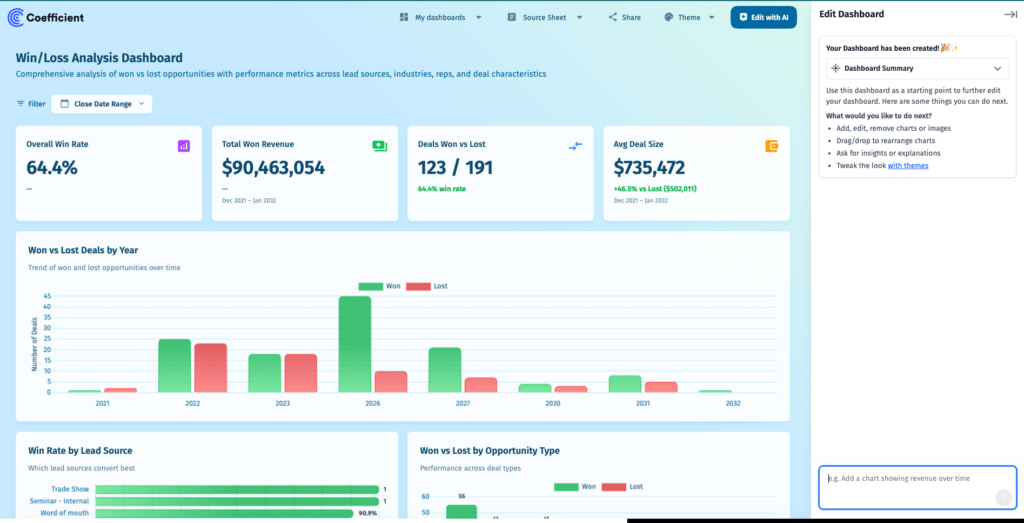
Coefficient fixes this by connecting HubSpot directly to Google Sheets or Excel. Your HubSpot contacts, deals, companies, and custom objects sync live into your spreadsheet on a schedule you set. Changes you make in the spreadsheet can be written back to HubSpot in bulk without opening the CRM. And Coefficient connects to 100+ other data sources at the same time, so you can build reports that blend HubSpot pipeline data with ad spend from Google Ads, financial data from QuickBooks, or product data from Snowflake in a single sheet.
When you’re ready to share beyond the spreadsheet, Coefficient’s AI chat interface builds a live web dashboard from your HubSpot data in minutes. Describe what you want, the AI builds it, and the dashboard stays connected to your live data automatically.
Key features
- Live two-way sync between HubSpot and Google Sheets or HubSpot and Excel
- Import from HubSpot contacts, deals, companies, tickets, and custom objects
- Combine HubSpot data with 100+ other sources in the same sheet
- Auto-refresh on hourly, daily, or weekly schedules
- AI chat interface to build and publish live web dashboards from live HubSpot data
- Write HubSpot records back in bulk directly from the spreadsheet
- Slack and email alerts when metrics hit thresholds
- SOC 2 Type II compliant
Pros
- No HubSpot seat required for report viewers, just share the spreadsheet or dashboard link
- Blends HubSpot data with Salesforce, Snowflake, Google Ads, and 100+ other sources in one sheet
- AI dashboard builder lets non-technical users publish BI-quality dashboards without a data team
- Two-way sync means ops teams can update HubSpot records in bulk from a spreadsheet
- Free tier available
Cons
- Works best for teams already using Google Sheets or Excel
- Advanced features including hourly refresh and unlimited rows require a paid plan
What users say
“The sheer brilliance of easily syncing any data from any source into Google Sheets is just amazing. Dead simple to use, works smoothly, and gets the job done.” — G2 reviewer
“Coefficient has been incredibly helpful at exporting powerful reporting from various tools to share across our organization, regardless of the licenses we have for the actual tool itself.” — G2 reviewer
Pricing
Free tier available. Paid plans start at $49/user/month.
Get started free with Coefficient
Other options worth considering
Databox for teams that want a dedicated dashboard tool built specifically around HubSpot metrics without needing a spreadsheet layer.
Proposals and e-signatures: PandaDoc
Best for: Sales teams creating, sending, and tracking proposals without leaving HubSpot
Once a deal reaches the proposal stage in HubSpot, reps typically switch to a separate tool to build the document, then manually update the deal when it’s signed. PandaDoc eliminates that context switch. Reps create proposals directly from HubSpot deal records, with contact details and line items pulled in automatically from the CRM. When the document is opened, viewed, or signed, HubSpot is updated in real time. No manual status updates, no chasing down signatures through email threads.
Key features
- Create PandaDoc proposals, quotes, and contracts directly from HubSpot deal, contact, and company records
- HubSpot contact data and deal line items auto-populate PandaDoc document templates
- Real-time document status tracking inside HubSpot, open, viewed, signed, all logged automatically
- HubSpot deal stage updates triggered automatically when document status changes
- Legally binding e-signatures collected without the prospect leaving the document
- Approval workflows for internal sign-off before documents are sent
- Two-way sync keeps line items consistent between HubSpot deals and PandaDoc pricing tables
Pros
- Removes the context switch between HubSpot and a separate proposal tool, keeping reps in one workflow
- Automatic deal stage updates when documents are signed eliminate manual CRM hygiene work
- Pre-populated templates from HubSpot data reduce errors from manual data entry in proposals
- Real-time document engagement tracking gives reps a signal on prospect interest before following up
Cons
- HubSpot CRM integration requires the Business plan or above, not available on the Starter plan
- Setup and template configuration takes time, particularly for teams with complex pricing structures
- Some users report that the HubSpot line item sync can behave unexpectedly with custom pricing rules
What users say
“PandaDoc’s HubSpot integration is second to none in comparison to competitors. It allows us to get a lot of information from the CRM directly into PandaDoc.” — PandaDoc customer, G2
“We’ve halved proposal creation time while demonstrating value in every single proposal. It’s helped us close more deals and save time.” — PandaDoc customer, G2
Pricing
Starter at $19/user/month. Business at $49/user/month, which is the tier required for HubSpot CRM integration. Enterprise pricing available on request.
Other options worth considering
DocuSign for teams that need e-signatures only without the full proposal and CPQ layer. HubSpot Quotes for teams that want a basic quoting tool built natively into HubSpot without a separate subscription.
Conversation intelligence: Gong
Best for: Sales teams using call data to coach reps and improve win rates
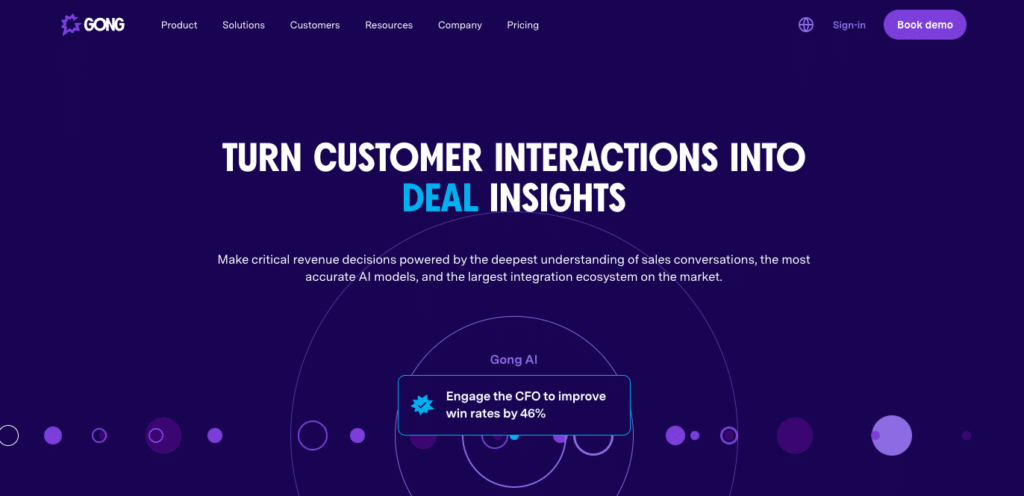
Gong records and analyzes sales calls then pushes rep stats, deal health signals, and conversation insights directly into HubSpot. Managers get visibility into what’s happening on calls without sitting in on every one. The HubSpot integration links call recordings and AI-generated insights to the relevant contacts, companies, and deals so everything stays in context inside the CRM.
Key features
- Automatic call recording and AI-powered transcription linked to HubSpot records
- Deal health scoring based on conversation signals pushed into HubSpot deal properties
- Rep performance analytics viewable inside HubSpot
- Topic and keyword tracking tied to deal outcomes
- Call highlights, recording URLs, and participant information appear under HubSpot meetings
- Forecasting insights derived from actual conversation data rather than rep-entered fields
Pros
- Gives managers real visibility into deal conversations without micromanaging reps
- Deal health signals based on actual call data make HubSpot pipeline forecasting more reliable
- Surfaces coaching moments at scale across the whole team without manual review
- All call data lives in HubSpot, keeping the CRM as the single source of truth
Cons
- Pricing is not publicly available and tends to be expensive for smaller teams
- Some reps push back on having all calls recorded, which requires change management
- Currently a one-way integration for call data into HubSpot
What users say
“Best sales coaching tool with HubSpot that I have ever used. If you lead a sales team and want it to be 10x better, use Gong.” — Verified Gong user, G2
“I love the ease of use with the integration into HubSpot. It helps keep everything organized and easy to access.” — Verified Gong user, HubSpot Marketplace
Pricing
Custom pricing, available on request.
Other options worth considering
Chorus by ZoomInfo for teams already using ZoomInfo for data enrichment who want conversation intelligence in the same platform. Clari for teams that want conversation intelligence combined with revenue forecasting.
Sales engagement: Outreach
Best for: Sales teams running sequenced outreach at scale with activity automatically logged to HubSpot
HubSpot’s native sequences are useful but limited for high-volume sales teams. Outreach is built specifically for sales engagement at scale, letting reps run multi-step email and call cadences, track prospect engagement across every touchpoint, and have all activity synced back to HubSpot automatically. The integration means your HubSpot CRM reflects what reps are actually doing in the field without anyone manually logging calls or updating contact records.
The practical benefit for RevOps and sales ops is CRM data you can actually trust. When Outreach activity flows into HubSpot reliably, pipeline reports and forecasts reflect reality rather than what reps remembered to update.
Key features
- Bidirectional sync between Outreach sequences and HubSpot contacts, companies, and deals
- Automated email and call sequences with full activity logged back to HubSpot records
- Real-time email open, click, and reply tracking synced to HubSpot contact timelines
- Sequence enrollment triggered by HubSpot lifecycle stage changes or workflow rules
- Automatic HubSpot deal stage updates when Outreach sequence milestones are hit
- Meeting booked in Outreach automatically updates the relevant HubSpot deal
- AI-powered deal health signals surfaced inside HubSpot
Pros
- Eliminates manual activity logging, one of the primary reasons HubSpot CRM data goes stale
- Sequence performance data in HubSpot lets ops teams tie outreach activity directly to pipeline outcomes
- Closed-loop feedback between Outreach and HubSpot means marketing and sales always see the same contact history
- Purpose-built for high-volume outreach in ways HubSpot’s native sequences aren’t
Cons
- Pricing around $100/user/month adds significant cost on top of existing HubSpot licenses
- Steeper learning curve than HubSpot’s native tools, requires dedicated enablement to get full value
- Better suited for mid-market and enterprise sales teams running high volume. Smaller teams may find HubSpot’s native sequences sufficient
What users say
“Outreach’s HubSpot integration means our SDRs can live in Outreach while everything they do shows up in HubSpot automatically. Our CRM data is finally accurate.” — Sales Operations Manager, G2
“The sequence-to-HubSpot sync is reliable and has eliminated the manual logging work that used to eat our reps’ time.” — RevOps Lead, G2
Pricing
Custom pricing. Typically around $100/user/month based on industry reports. Contact Outreach for a quote.
Other options worth considering
Salesloft for teams that want a similar sales engagement platform with a slightly more intuitive interface. Apollo.io for teams that want prospecting and sales engagement combined in one platform at a lower price point.
Data enrichment: ZoomInfo
Best for: Revenue teams keeping HubSpot contact and company records accurate at scale
Stale CRM data costs sales teams real opportunities. ZoomInfo enriches HubSpot contact and company records with verified, current information and syncs changes in real time. When a contact changes jobs, ZoomInfo updates the HubSpot record automatically. When a target account gets new funding, the company record reflects it without anyone touching anything. Sales teams use it to fill in missing fields, score leads more accurately, and build targeted prospect lists without leaving HubSpot.
Key features
- Automatic enrichment of HubSpot contact and company records with verified B2B data
- Real-time sync keeps records current as ZoomInfo’s database updates
- Buying intent signals pushed into HubSpot to flag accounts showing purchase behavior
- Org chart data showing reporting structures at target accounts synced to HubSpot
- Bulk list building and exporting directly into HubSpot contacts and companies
- Duplicate detection and merge recommendations inside HubSpot
Pros
- Keeps HubSpot records accurate without manual research, directly improving lead scoring and segmentation quality
- Org chart data gives sales teams a complete view of the buying committee at target accounts
- Intent signals help prioritize which HubSpot contacts and companies to work first
- One of the largest B2B contact databases with strong coverage in North America
Cons
- Pricing typically starts at $15,000 per year and scales with seat count and data access, which puts it out of reach for smaller teams
- Data accuracy varies by region with weaker coverage outside North America and Europe
- Automatic enrichment can occasionally overwrite HubSpot fields that reps have manually corrected
What users say
“ZoomInfo’s HubSpot integration keeps our CRM data clean automatically. Our lead scoring is finally accurate because the underlying data is accurate.” — Revenue Operations Lead, G2
“The org chart feature is what our enterprise sales team loves most. Being able to map the buying committee at a target account inside HubSpot has changed how we approach complex deals.” — Enterprise Account Executive, G2
Pricing
Custom pricing. Contracts typically start at $15,000 per year and scale with seat count and data access.
Other options worth considering
Apollo.io for teams that want enrichment and sales engagement combined at a significantly lower price point. Clearbit (now HubSpot Breeze Intelligence) for teams that want basic enrichment built natively into HubSpot without a separate contract.
Collaboration: Slack
Best for: Teams that need HubSpot updates to reach people where they already work
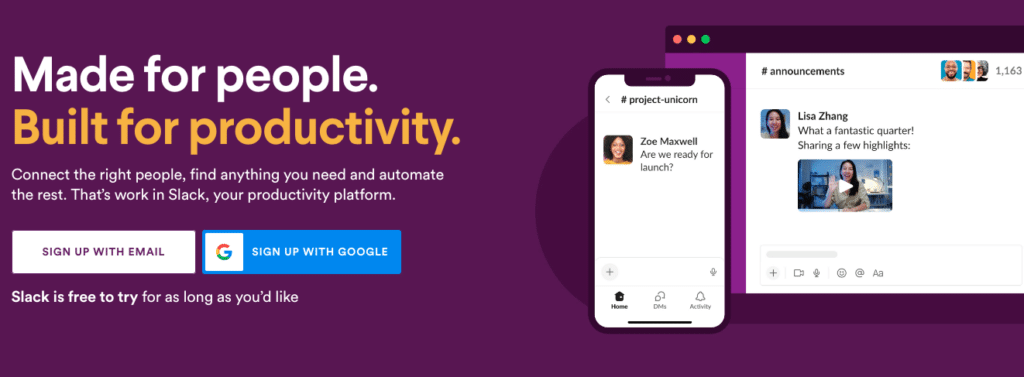
Salesforce’s acquisition of Slack notwithstanding, Slack remains the collaboration layer most revenue teams run on. The HubSpot-Slack integration brings CRM data and alerts directly into the channels where your team already works. Deal stage changes, new lead notifications, and contact activity updates flow into dedicated Slack channels automatically so nothing falls through the cracks while deals are moving.
Key features
- Real-time HubSpot notifications in Slack when deals advance, leads come in, or thresholds are hit
- Share HubSpot contact and deal records directly into Slack channels or DMs
- Slash commands to search HubSpot records without leaving Slack
- Configure custom HubSpot workflow triggers that send formatted Slack messages
- Dedicated deal room channels with automatic HubSpot update feeds
- Two-way: actions taken in Slack can trigger HubSpot workflow steps
Pros
- Meets reps and managers where they already spend their time
- Deal alert notifications mean nothing falls through the cracks during fast-moving sales cycles
- Custom workflow triggers let ops teams build exactly the notifications that matter without the noise
- Free to connect, most functionality available on existing Slack plans
Cons
- Notification volume can become overwhelming without thoughtful configuration of what triggers alerts
- More advanced HubSpot workflow automations using Slack require a HubSpot Operations Hub subscription
- Teams that don’t already use Slack won’t find value here
What users say
“Having HubSpot deal updates come straight into our sales Slack channel means our whole team knows what’s happening in the pipeline in real time without anyone having to pull a report.” — Sales Operations Manager, G2
“The integration is simple and effective. We set up a dedicated deals channel and now everyone from sales to leadership sees the same live pipeline updates.” — RevOps Lead, HubSpot Marketplace
Pricing
Free to connect with basic functionality. Slack Business+ at $15/user/month unlocks advanced HubSpot workflow integrations.
Other options worth considering
Microsoft Teams for organizations running on the Microsoft ecosystem where Teams is the primary communication platform.
Workflow automation: Zapier
Best for: Teams that need to connect HubSpot to other tools without writing code
Zapier connects HubSpot to 7,000+ other apps through simple trigger-action pairs. When a HubSpot deal closes, add a row to a Google Sheet. When a new HubSpot contact is created, send a Slack notification. When a form is submitted on your website, create a HubSpot contact and send a follow-up email. For teams that need to automate handoffs between HubSpot and other tools without engineering resources, Zapier is the fastest path from problem to working automation.
Key features
- Trigger-action automation between HubSpot and 7,000+ apps
- No-code workflow builder accessible to non-technical users
- Pre-built Zap templates for common HubSpot workflows
- Multi-step Zaps that chain multiple actions together
- Filters and conditions to control when automations fire
- Data formatting tools to transform values between systems
Pros
- Fastest way to get a HubSpot automation running without developer support
- 7,000+ app connections covers virtually any tool in your marketing and sales stack
- Pre-built templates for common HubSpot use cases mean you’re not starting from zero
- Free tier available for basic single-step automations
Cons
- Not suited for complex bidirectional sync or high-volume data operations
- Costs scale quickly as automation volume grows
- For anything beyond simple trigger-action pairs, purpose-built integrations are more reliable
What users say
“Zapier is our go-to for connecting HubSpot to everything else. When we need a quick automation that would take engineering weeks to build, Zapier gets it done in an afternoon.” — Marketing Operations Manager, G2
“Great for simple automations. The moment you try to do something complex with HubSpot data, you hit the limits pretty fast.” — RevOps Analyst, G2
Pricing
Free plan available for single-step Zaps. Starter plan from $19.99/month. Professional plan from $49/month.
Other options worth considering
Make (formerly Integromat) for teams that need more complex workflow logic than Zapier supports at a lower price point. HubSpot Operations Hub for teams that want native automation built directly into HubSpot without a third-party tool.
CRM sync: Salesforce
Best for: Companies running both HubSpot and Salesforce that need the two systems aligned
Many companies run HubSpot for marketing and Salesforce for sales. Without a proper integration between the two, leads generated in HubSpot get manually handed off to Salesforce, data gets out of sync, and marketing and sales teams end up arguing about whose numbers are right. HubSpot’s native Salesforce integration solves this with a real-time bidirectional sync that keeps both platforms aligned automatically.
Key features
- Real-time bidirectional sync between HubSpot contacts, companies, and deals and Salesforce leads, contacts, accounts, and opportunities
- Configurable sync rules to control which records sync in which direction
- Field mapping to align HubSpot and Salesforce properties automatically
- Automatic lead routing from HubSpot to Salesforce based on defined criteria
- Activity sync keeping email, call, and meeting logs visible in both platforms
- Sync error reporting and monitoring inside HubSpot
Pros
- Eliminates the manual lead handoff between marketing and sales that creates data quality problems
- Both teams can work in their preferred platform without losing visibility into the other
- Configurable sync rules give ops teams fine-grained control over what moves between systems
- Native HubSpot integration means no third-party middleware needed
Cons
- Initial configuration requires careful planning around sync rules to avoid data conflicts
- Some users report sync delays that can affect real-time reporting accuracy
- Complex field mappings between HubSpot and Salesforce data models require admin expertise
What users say
“The HubSpot-Salesforce integration has finally aligned our marketing and sales teams. Both sides work in their preferred tool and the data stays consistent.” — Revenue Operations Director, G2
“Setup took more time than expected but once it was running correctly, the bidirectional sync has been reliable. The key is getting your sync rules right from the start.” — Salesforce Admin, HubSpot Marketplace
Pricing
HubSpot’s Salesforce integration is available on Marketing Hub Professional and above, and Sales Hub Professional and above. HubSpot licensing starts at $800/month for Marketing Hub Professional.
Other options worth considering
Coefficient for teams that want to analyze data from both HubSpot and Salesforce in the same spreadsheet or dashboard without needing a full CRM-to-CRM sync.
How to choose the right HubSpot integrations
The most common mistake teams make is connecting every tool in the marketplace without a clear problem to solve. Start with where your team is losing time or where your data is breaking down.
If your team spends time re-exporting HubSpot data to spreadsheets: Coefficient eliminates the export cycle and keeps your data live in Google Sheets or Excel. Get started free.
If your reps are spending too much time on manual outreach and CRM updates: Outreach automates sequenced outreach and logs all activity back to HubSpot automatically so your CRM data stays accurate without extra rep effort.
If proposals are slowing down deal velocity: PandaDoc lets reps create, send, and track proposals directly from HubSpot deals without switching tools.
If managers don’t know what’s actually happening on calls: Gong gives them visibility through recorded and analyzed conversations tied directly to HubSpot.
If HubSpot contact records are full of missing or stale data: ZoomInfo enriches and maintains records automatically so your pipeline reflects reality.
If important deal updates aren’t reaching your team fast enough: Slack brings HubSpot notifications directly into the channels where your team already works.
If you need HubSpot connected to other tools without engineering resources: Zapier handles simple automations quickly. For more complex workflows, HubSpot Operations Hub may be the better long-term investment.
If your company runs both HubSpot and Salesforce: The native HubSpot Salesforce integration keeps both platforms aligned. Coefficient lets you analyze data from both in a single spreadsheet.
Frequently asked questions
How many integrations does HubSpot have?
HubSpot has over 1,500 native integrations available in its App Marketplace as of 2026. The marketplace covers categories including sales, marketing, customer service, data management, and productivity.
Are HubSpot integrations free?
The integrations themselves are often free to connect, but the tools you’re connecting may have their own pricing. HubSpot also gates some integration features behind higher-tier plans. For example, the Salesforce integration requires Marketing Hub Professional or Sales Hub Professional.
What is the best HubSpot integration for reporting?
Coefficient for teams that work in Google Sheets or Excel and want live HubSpot data without manual exports. It also connects to 100+ other data sources so you can blend HubSpot data with Salesforce, ad platforms, and finance systems in the same sheet. Get started free.
Can I connect HubSpot to Google Sheets?
Yes. The most capable way to do it is with Coefficient, which gives you live two-way sync, multi-source data blending, automated refresh schedules, and an AI dashboard builder on top of the basic connection. Coefficient also connects HubSpot to Excel if your team works in Excel rather than Google Sheets. HubSpot also has a native Google Sheets integration through HubSpot workflows, but it’s more limited and one-directional.
What is the best HubSpot integration for sales teams?
It depends on the problem you’re solving. Outreach for sequenced outreach at scale with reliable HubSpot activity sync. Gong for call intelligence and coaching. PandaDoc for removing friction from the proposal and signing process. ZoomInfo for keeping contact data accurate. Most high-performing sales teams use a combination of two or three of these alongside HubSpot.
