


Most companies that deploy Databricks solve the hard problem first. Building scalable data pipelines on the lakehouse, enforcing data quality across Delta Lake, managing Unity Catalog governance, handling schema evolution across dozens of data sources. That part is hard, and most data engineering teams get it right.
The part they get stuck on sounds easier: getting the data to the people who need to make decisions with it. A data engineer can query Delta Lake with Python or SQL. The finance analyst, RevOps manager, and CS ops lead cannot. They file tickets, wait days, and rebuild stale spreadsheets from CSV exports that are wrong the moment they land.
This guide covers both directions of Databricks data integration. The tools that move data into the lakehouse from SaaS applications, databases, and cloud storage. And the tools that get Databricks data into the hands of business teams without requiring Python, Spark clusters, or an engineering queue.
| Quick Summary Getting data into Databricks – Fivetran: managed ELT with native Delta Lake support, best for production pipelines where reliability matters more than cost Airbyte: open-source ELT with 350-plus connectors, better cost profile at scale with self-hosted flexibility dbt: SQL-based transformation on Delta Lake, pairs with any ELT tool for the modern data stack Azure Data Factory / Airflow: orchestration for complex multi-step workflows, requires engineering capacity to maintain Getting data out to business teams – Coefficient: Google Sheets and Excel access to Databricks data, AI query generation, no SQL required, free plan Tableau: BI visualization on Databricks SQL warehouse, powerful but expensive and skills-intensive Power BI: Microsoft-native BI with DirectQuery support, best for Azure Databricks and Microsoft-stack teams Looker: semantic layer on Databricks for governed metrics, high cost and complexity, enterprise use cases |
The Databricks Data Integration Problem Nobody Solves Completely
Databricks has become the default lakehouse platform for data-intensive organisations. Over 60% of the Fortune 500 runs on it, and the Databricks Data Intelligence Platform now spans data engineering, machine learning, real-time analytics, and AI workloads on a single unified platform. The ingestion side is well covered: Fivetran, Airbyte, and dbt have mature Databricks connectors, and the Apache Spark engine handles data processing at any scale.
The gap is in the other direction. Data engineering teams invest months building clean, governed, high-quality data in Delta Lake – financial models, pipeline data, customer segments, product usage signals. Business teams still cannot access it without filing a ticket. The analyst who needs last quarter’s revenue by region waits three days for a CSV. The RevOps manager who needs pipeline data alongside Salesforce forecasts works from a snapshot that is wrong by Thursday.
Klaviyo ran into this at scale. As their business grew, the data team was fielding over 100 ad hoc data requests from business users every quarter. Evan Cover, Director of BI Engineering and Governance, put it plainly: ‘We had to move fast, iterate, and ensure data from our data warehouse was accessible for non-technical users.’ The engineering team was the bottleneck, not the data. Read the Klaviyo case study.
The tools below cover both directions. Which one you need depends on whether you are solving an ingestion problem or an access problem. Most teams need both.
Databricks Data Integration Tools for Getting Data In
The following tools handle data ingestion into Databricks from SaaS applications, relational databases, cloud storage, and streaming sources. Key considerations when evaluating this category: Delta Lake write support, Unity Catalog compatibility, schema evolution handling, real-time vs batch data ingestion capabilities, and how much ongoing infrastructure the team can maintain.
Fivetran
Fivetran is a fully managed ELT platform with 500-plus pre-built connectors for SaaS applications, databases, and cloud storage. It writes directly to Databricks as a destination with native Delta Lake support, handles schema migrations automatically as source data changes, and runs incremental data loads to keep compute costs down. Unity Catalog integration is available for teams that need centralised governance across workspaces.
For data engineering teams that want production-grade data pipelines without writing or maintaining pipeline code, Fivetran is the lowest-friction option. The trade-off is cost. Fivetran’s Monthly Active Rows pricing model can become expensive at high data volumes, and the managed infrastructure leaves less room for customisation than open-source alternatives.
Pros
Fully managed with minimal engineering overhead. Strong Delta Lake and Unity Catalog support. Automatic schema evolution prevents breaking changes. 500-plus connectors cover most SaaS applications and databases. Reliable SLAs for production workflows.
Cons
Expensive at scale on the MAR pricing model. Less flexible for custom data sources or non-standard APIs. Transformation capabilities are limited compared to dbt. Consumption pricing can produce billing surprises at high volumes.
Pricing
Consumption-based on Monthly Active Rows. Starter tier available. Business and Enterprise pricing on request. Fivetran pricing.
Reviews: G2 reviews – 4.2/5 on G2 based on 450-plus reviews. Praised for reliability and connector depth. Criticism centres on cost at scale.
Airbyte
Airbyte is an open-source ELT platform with 350-plus connectors. The Databricks destination connector writes to Delta Lake and supports both batch and incremental data loads. Teams can self-host Airbyte on AWS, GCP, or Azure for full control over infrastructure, or use Airbyte Cloud to remove operational overhead while keeping the open-source connector library.
The open-source model means significantly lower cost at scale compared to managed alternatives – particularly for teams with existing Kubernetes infrastructure. The flexibility to build custom connectors for non-standard data sources is a meaningful advantage for organisations with proprietary systems. The trade-off: connector quality varies across the library, and self-hosted deployments require ongoing engineering maintenance.
Pros
Open-source with a large active community. 350-plus connectors including custom connector support. Lower cost than managed ELT at scale. Airbyte Cloud removes self-hosting complexity. Flexible data format and schema handling.
Cons
Self-hosted deployments require infrastructure management and ongoing engineering capacity. Connector quality is uneven across the library. Less polished UI than managed alternatives. Real-time streaming support is less mature than batch ingestion.
Pricing
Open-source self-hosted is free. Airbyte Cloud from $10/month plus consumption credits. Airbyte pricing.
Reviews: G2 reviews – 4.3/5 on G2. Strong community praise for connector breadth. Self-hosting complexity is a recurring limitation in reviews.
dbt
dbt is not an ingestion tool. It is a SQL-based transformation layer that runs inside Databricks after data lands in Delta Lake. dbt models define how raw data gets transformed, documented, and tested before reaching analysts and business users. The combination of Fivetran or Airbyte for ingestion and dbt for transformation is the standard modern data stack pattern on Databricks – each tool doing one thing well.
dbt Core is open-source and runs from the command line. dbt Cloud adds a web IDE, scheduled runs, CI/CD for data pipelines, and collaboration features for larger teams. The Databricks adapter is well-maintained and supports Delta Lake incremental materialisations and merge strategies that take full advantage of Databricks’ transactional capabilities.
Pros
SQL-native with a low barrier to entry for analysts. Strong documentation and data lineage tracking built in. Widely adopted with a large community and active development. Databricks adapter actively maintained. Pairs cleanly with any ELT tool for end-to-end data pipelines.
Cons
Not an ingestion tool – requires a separate ELT layer. dbt Cloud adds cost for scheduling and collaboration. Complex DAG management has a real learning curve. Array-type transformations require care with Delta Lake schema handling.
Pricing
dbt Core open-source, free. dbt Cloud from $100/month for Teams. Enterprise pricing on request. dbt pricing.
Reviews: G2 reviews – 4.4/5 on G2. Widely praised for SQL-first approach and documentation quality. DAG management learning curve noted.
Azure Data Factory and Apache Airflow
For teams building complex, multi-step data workflows that go beyond what a standard ELT connector handles, orchestration tools fill the gap. Azure Data Factory is the natural choice for organisations on the Azure Databricks stack – it ingests data from dozens of sources, triggers Databricks notebooks and jobs as pipeline steps, and handles dependencies between workflows. The integration between ADF and Azure Databricks is tight, with native compute trigger support and monitoring built into the Azure ecosystem.
Apache Airflow handles the same orchestration layer for teams on AWS or GCP, or those who prefer an open-source DAG-based workflow engine. Airflow defines pipeline dependencies in Python, schedules runs, and monitors failures. Both tools require data engineering capacity to build and maintain – they are infrastructure-level choices, not low-code automation platforms.
Pros
ADF: native Azure Databricks integration, managed infrastructure, strong for Azure-native stacks. Airflow: open-source and highly flexible, large operator library covering diverse data sources and cloud platforms.
Cons
Both require engineering capacity to build and maintain. Self-hosted Airflow adds significant operational overhead. ADF cost scales with activity runs and data movement volume. Neither is accessible to business teams for self-serve workflows.
Pricing
ADF consumption-based on pipeline runs and data movement. ADF pricing. Airflow open-source free. Managed Airflow via AWS MWAA or Astronomer Cloud. Astronomer pricing.
The Databricks Last-Mile Problem
Here is what the ingestion tools above do not solve. Data engineering teams build clean, well-governed data in Databricks. Business teams still cannot use it without engineering help. Tableau and Power BI exist, but require licenses, dedicated skills to build and maintain reports, and ongoing updates as the underlying data models change. The analyst who needs a specific cut of revenue data by segment still files a ticket. The finance manager combining Databricks output with Salesforce pipeline data still works from a two-day-old CSV export.
The result is a lakehouse full of high-quality, real-time data that business teams access through a spreadsheet that was exported on Tuesday. The data engineering investment does not reach the decision-making layer because the self-serve analytics access layer is missing.
Klaviyo solved this by connecting their data warehouse to Google Sheets through Coefficient, enabling over 100 business users to pull the data they needed without involving the data team. The engineering team reclaimed nearly two months previously lost to manual data requests. The same pattern applies directly to Databricks. Read the Klaviyo case study.
Databricks Data Integration Tools for Business Team Access
The tools below sit on top of the Databricks SQL warehouse and make data accessible to business users – analysts, finance teams, RevOps managers, CS ops – in formats they already work in. These are consumption-layer tools, not data pipeline tools. They do not move data into Databricks. They query it and surface it in dashboards, spreadsheets, and BI interfaces without requiring Python, Spark knowledge, or an engineering ticket.
Coefficient

Coefficient connects Google Sheets and Excel directly to Databricks SQL warehouses and Delta tables. Business teams browse available tables in a sidebar, write SQL queries, or use the AI SQL Builder to describe what they need in plain English – no SQL required. Data lands in the spreadsheet on a scheduled auto-refresh. The finance analyst who needed to wait three days for a CSV export gets self-serve access in minutes.
The specific use case for Databricks: data engineers build clean, modeled data in the lakehouse. Coefficient gives finance, RevOps, and CS ops teams a direct read layer into those models – alongside data from Salesforce, HubSpot, or any of 150-plus other connectors – without filing engineering tickets. The spreadsheet becomes a live interface into Databricks data, not a stale copy of it.
For teams that want to publish Databricks data beyond the spreadsheet, Vibe Dashboards turns any spreadsheet model into a shareable live web dashboard. Describe the dashboard in plain English. The AI builds it from the live Databricks data. Share a URL. Stakeholders see real-time data without a Databricks seat, a BI license, or a data team maintaining the report.
Not a standalone BI platform. Requires Google Sheets or Excel. Not built for warehouse-scale ML workloads or complex multi-table SQL modeling. For teams that live in spreadsheets and need self-serve access to Databricks data, it is the lowest-friction option in this category.
| “We had to move fast, iterate, and ensure data from our data warehouse was accessible for non-technical users. Coefficient helped us reclaim nearly two months previously lost to manual data processes.”Evan Cover, Director of BI Engineering and Governance, Klaviyo – Read the full case study |
| Setup guide: How to connect Databricks to Google Sheets with Coefficient. Excel users: Coefficient Excel Databricks connector. |
Pros
No SQL required for business users. Scheduled auto-refresh keeps spreadsheet data current without manual exports. 150-plus connectors for cross-source analysis alongside Databricks. AI SQL Builder generates queries from plain English descriptions. Vibe Dashboards for shareable live web dashboards. Free plan available. No per-user fees on paid plans.
Cons
Not a standalone BI platform – requires Google Sheets or Excel. Not designed for ML workloads or complex warehouse-scale SQL modeling.

Stop exporting data manually. Sync data from your business systems into Google Sheets or Excel with Coefficient and set it on a refresh schedule.
Get Started
Pricing
Free plan available. Paid plans from $49/month with no per-user fees. Coefficient pricing.
Reviews: G2 reviews – 4.8/5 on G2. Praised for ease of setup, live data refresh, and Salesforce and HubSpot connectivity. Growing Databricks and Snowflake adoption in recent reviews.
Tableau
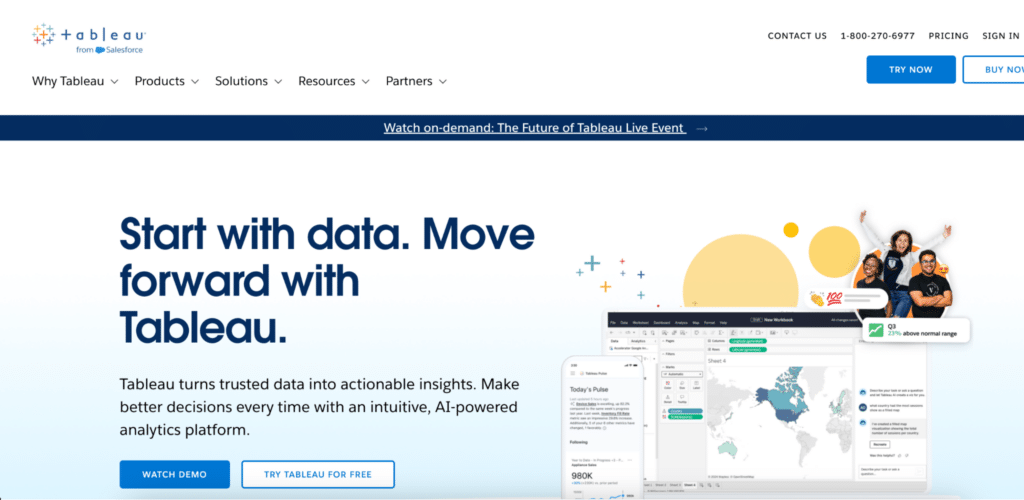
Tableau connects to Databricks SQL warehouses via a native connector with DirectQuery support – querying Delta Lake data in near real-time without moving it into a separate BI layer. For organisations that already have Tableau licenses and need production-grade data visualization on Databricks data, it is a strong option. The combination of Tableau’s visualization depth and Databricks’ compute layer handles complex analytical workloads well.
The barrier to entry is real. Tableau requires dedicated skills to build and maintain. Report developers, not business users, typically own the Tableau layer. And the per-user pricing model means cost scales quickly as more stakeholders need access to dashboards.
Pros
Powerful visualization and dashboard capabilities. Native Databricks connector with DirectQuery support. Strong enterprise features including data governance and version control. Widely adopted with a large community of skilled developers.
Cons
Expensive per-user licensing at scale. Requires dedicated Tableau development skills. Less accessible for self-serve analytics by non-technical business users. Report maintenance adds ongoing engineering overhead.
Pricing
Creator $75/user/month, Explorer $42/user/month, Viewer $15/user/month (annual). Tableau pricing.
Reviews: G2 reviews – 4.4/5 on G2 based on 2,000-plus reviews. Praised for visualization depth and enterprise capabilities. Cost and learning curve cited consistently as limitations.
Power BI
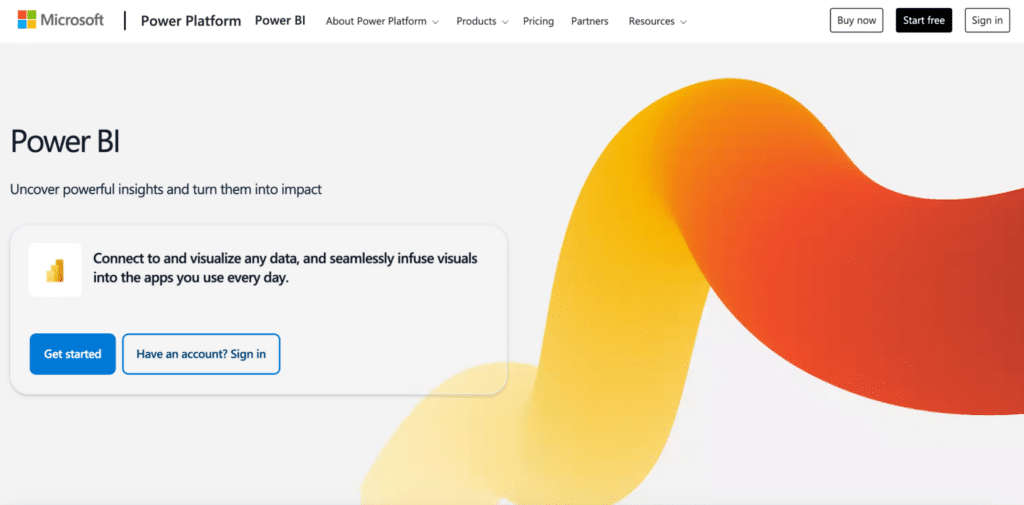
Power BI has a native Databricks connector with DirectQuery mode support, making it the natural BI choice for teams on the Azure Databricks and Microsoft 365 stack. Power BI Desktop is free and handles basic report building. Pro and Premium unlock collaboration, scheduled refresh, and sharing features. The Copilot add-on, available on Premium, adds AI-assisted querying and report generation – meaningful for teams looking to cut down on the SQL and DAX burden on analysts.
For organisations already running Azure Databricks, the integration between Power BI and the Microsoft data stack is the tightest of any BI tool in this list. For teams on Databricks on AWS or GCP, or those not already in the Microsoft ecosystem, the advantage diminishes and Tableau or Looker may be a better fit.
Pros
Free Desktop tier for report building. Native Azure Databricks integration. Familiar to Microsoft-stack teams. DAX for calculated measures and complex data modeling. Copilot add-on for AI-assisted analytics on Premium plans.
Cons
Best collaboration and sharing features require Pro or Premium licences. DirectQuery performance can lag on complex models. Windows-first design limits Mac usability. DAX learning curve is steeper than SQL for analysts new to Power BI.
Pricing
Pro $14/user/month, Premium Per User $24/user/month, Copilot add-on $30/user/month, Fabric F64+ from ~$8,000/month. Power BI pricing.
Reviews: G2 reviews – 4.5/5 on G2 based on 1,600-plus reviews. Strong marks for Microsoft integration and free Desktop tier. DAX complexity and Mac limitations noted frequently.
Looker
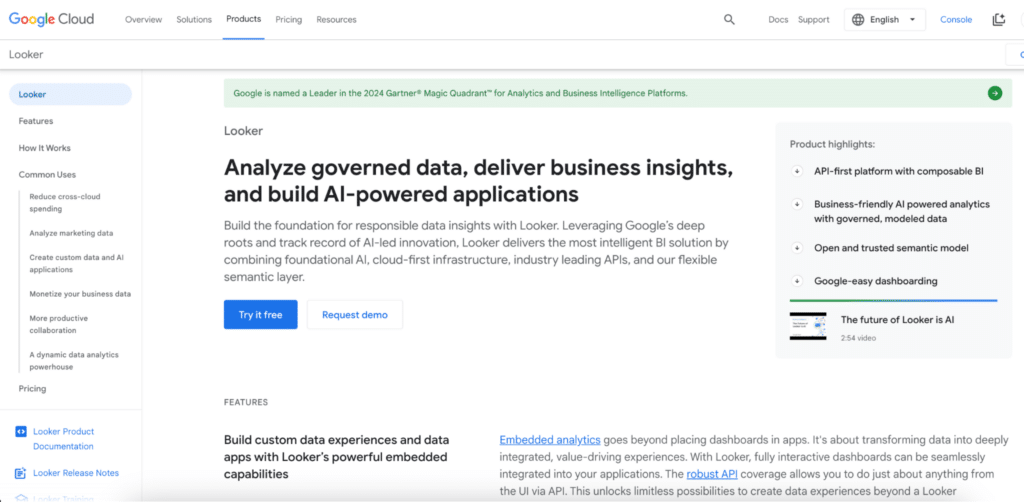
Looker connects to Databricks via JDBC/ODBC and builds a LookML semantic layer on top of the lakehouse – a centralised, governed definition of business metrics that sits between the raw Delta Lake data and the end user. When a finance team, RevOps leader, and CS team all query ‘revenue,’ they get the same number because the definition lives in LookML, not in each team’s individual spreadsheet formula.
This governance model is genuinely valuable at enterprise scale where metric consistency across teams matters. The cost and complexity are significant. LookML requires dedicated expertise to build and maintain. Platform pricing starts at around $5,000/month before user seats. Looker Studio, Google’s free lightweight alternative, offers Databricks connectivity via partner connectors for teams that want the Google BI layer without the enterprise price tag.
Pros
Semantic layer for consistent, governed metrics across teams. Strong Databricks compatibility via JDBC/ODBC. Looker Studio free tier for lighter use cases. Deep Google Cloud integration for GCP-native data stacks.
Cons
Very expensive – platform from ~$5,000/month before user seats. LookML requires dedicated developer expertise to build and maintain. Significant implementation overhead. Overkill for most mid-market teams or single-team use cases.
Pricing
Platform ~$5,000/month. Viewer $30/user/month, Standard $60/user/month, Developer $125/user/month. Looker Studio free. Looker pricing.
Reviews: G2 reviews – 4.4/5 on G2. Strong marks for data governance and semantic layer consistency. Cost and LookML complexity are the primary barriers cited in reviews.
How to Choose the Right Databricks Data Integration Approach
Three questions narrow the field quickly.
Are you solving an ingestion problem or an access problem? If data from SaaS applications, databases, or cloud storage is not yet in Databricks, start with Fivetran or Airbyte for the ELT layer and dbt for transformation. If data is already in Databricks but business teams cannot access it, the ingestion layer is not the bottleneck. The self-serve access layer is what is missing.
Who needs access and what tools do they already use? Data engineers working in notebooks need different tools from finance analysts working in Google Sheets. Coefficient meets business teams in the spreadsheet they already use. Teams with dedicated BI developers and existing Tableau or Power BI licences should lean into those platforms for the Databricks reporting layer.
How much infrastructure can the team maintain? Fivetran and Airbyte Cloud remove operational burden at a higher cost. Self-hosted Airbyte and Airflow give more control and better cost scaling at the expense of ongoing engineering maintenance. Coefficient and Power BI Desktop are low-infrastructure options for the access layer. Looker and enterprise Tableau require dedicated implementation resources and sustained maintenance over time.
Give Business Teams Self-Serve Access to Databricks Data
If your data engineering team is fielding requests that should be self-serve, try Coefficient for free. Connect Databricks to Google Sheets or Excel, set a refresh schedule, and give finance, RevOps, and CS ops teams direct access to the data models your team has already built – without a ticket queue.
See Coefficient pricing for plan details, pre-built dashboard templates for ready-to-use setups, and the AI SQL Builder for natural language querying on Databricks data.







