


If your team uses Google Workspace, you already have Gemini in Google Sheets. It is bundled into Business Standard and above, it requires no installation, and it handles a reasonable range of everyday spreadsheet tasks. For many teams, that raises a fair question: is there anything else to add?
The answer depends on what you are trying to do. Gemini is built to assist with tasks inside a sheet. Coefficient’s AI Sheets Assistant is built to produce business analytics output: complete dashboards, live-data reports, pivot tables, charts, and SQL queries that sync back to the sheet. They are different tools built for different jobs, and understanding that distinction saves a lot of frustration.
This comparison breaks down what each tool does well, where each falls short, how they are priced, and how to decide which one — or both — belongs in your workflow.
Overview of Coefficient AI Sheets Assistant & Gemini in Google Sheets
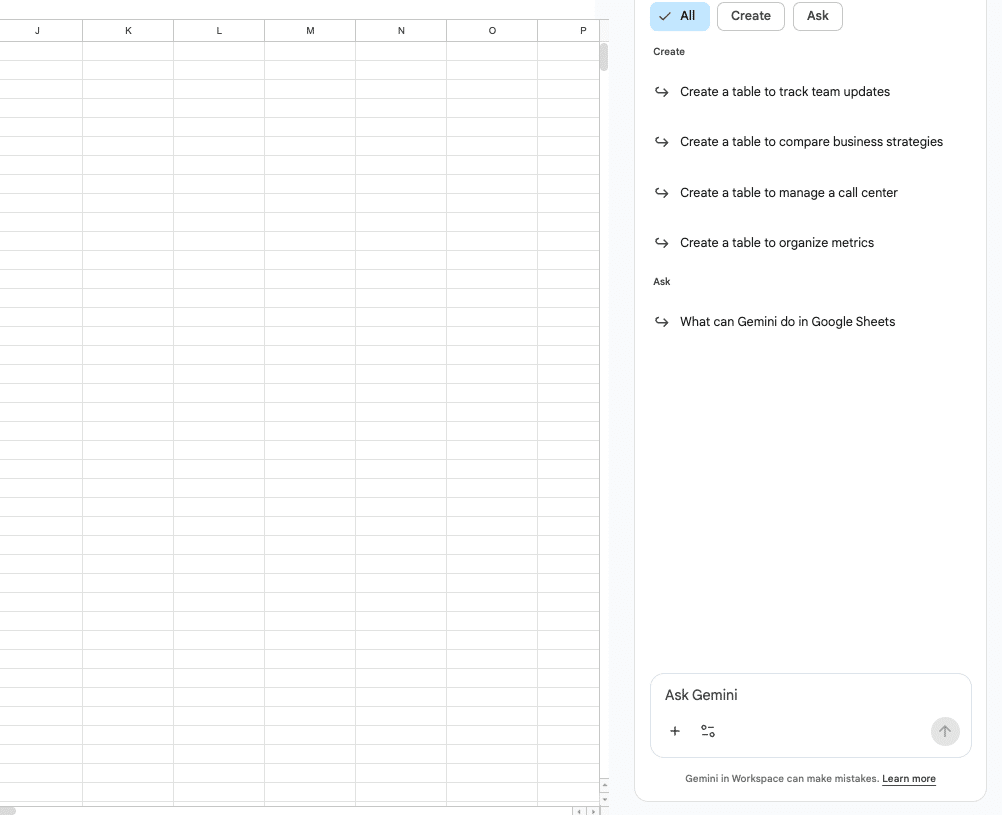
Gemini in Google Sheets is Google’s native AI layer inside the spreadsheet. It lives in the sidebar and as a cell-level function (=AI()) available to Workspace users on qualifying plans. You can ask it to write formulas in plain English, generate charts, build tables, summarize data, apply conditional formatting, and categorize or classify text across rows. It is a general-purpose assistant that makes common spreadsheet tasks faster for users who do not want to learn advanced formula syntax.
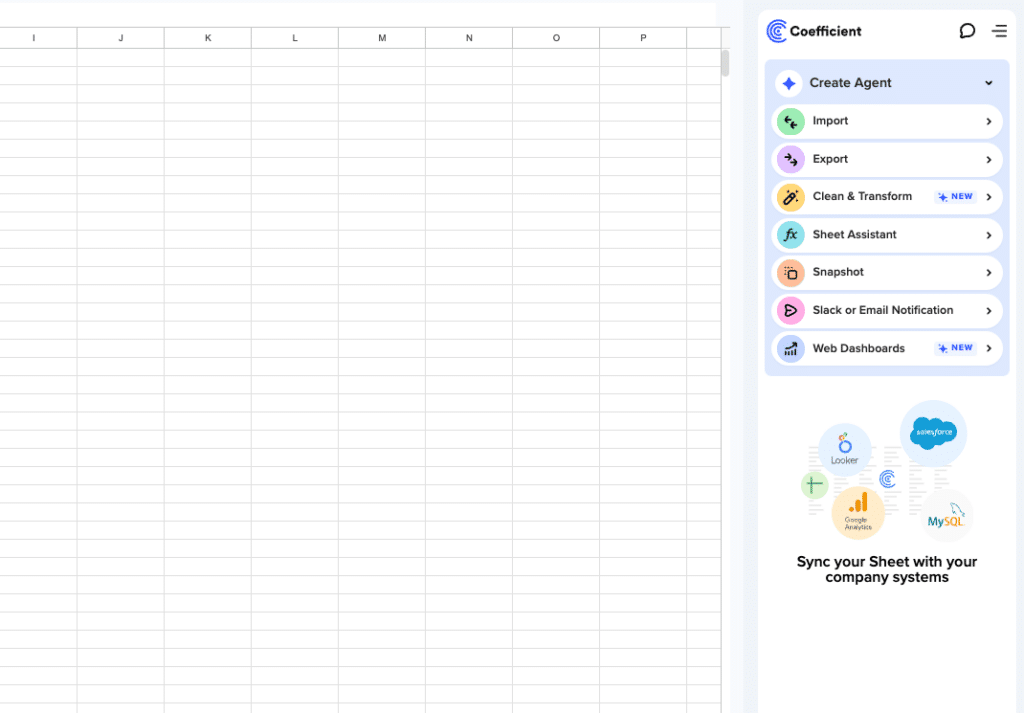
Coefficient’s AI Sheets Assistant is a purpose-built analytics tool for Google Sheets. Where Gemini assists, Coefficient builds. You describe the output you need — a sales dashboard, a pivot table summarizing revenue by region, a chart comparing pipeline stages — and the assistant generates it as a fully editable, live element directly in the sheet. Critically, Coefficient’s AI works on top of live data connected from your business systems: Salesforce, HubSpot, QuickBooks, NetSuite, Snowflake, and 150+ more. It also writes SQL queries and syncs results back to the sheet, and it generates dashboards that publish as shareable web views without requiring a separate BI platform.
One is an assistant. The other is a builder. That framing is the most useful way to approach the rest of this comparison.
Coefficient AI Sheets Assistant vs Gemini in Sheets: feature comparison
Here is how the two tools compare across the capabilities that matter most to business teams.
| Feature | Coefficient AI Sheets Assistant | Gemini in Google Sheets |
| Formula help | Yes — writes and explains formulas | Yes — writes and explains formulas |
| Chart creation | Yes — fully editable, placed in sheet | Yes — generated as static image or chart |
| Pivot table generation | Yes — built directly in sheet | Yes — basic pivot table creation |
| Full dashboard creation | Yes — multi-chart, KPI cards, editable | No |
| SQL generation and sync | Yes — writes SQL, syncs results to sheet | No |
| Live data connectivity | Yes — 150+ connectors (Salesforce, HubSpot, QuickBooks, etc.) | No — works only with data in the sheet |
| Two-way write-back to source | Yes | No |
| Cell-level text generation (=AI) | No | Yes |
| Bulk row text processing | No | Yes — =AI() function across rows |
| Output type | Editable, live elements in sheet | Static outputs or sidebar responses |
| Workspace ecosystem integration | Google Sheets only | Gmail, Drive, Docs, Slides, Meet |
| Pricing | Free plan; paid from $49/month, no per-user fees | Bundled in Workspace Business Standard ($16.80/user/month) and above |
What Gemini in Google Sheets does well
Gemini earns its place in the workflow for three things it does better than any add-on can.
It is already there
If your organization is on Google Workspace Business Standard or above, Gemini is already in your Sheets with no installation, no additional license, and no onboarding required. That zero-friction access makes it the right default for teams that need lightweight AI help with everyday tasks: writing a VLOOKUP from a description, summarizing a column of customer feedback, or generating a quick bar chart from a small dataset. The best tool is often the one people will actually use, and Gemini’s native presence removes every barrier to adoption.
Cell-level text generation at scale
The =AI() function is Gemini’s most distinctive capability in Sheets. It lets you run a natural language instruction against any cell or range and return the result directly into cells. Categorize a column of 500 customer responses by sentiment. Extract the company name from a list of email addresses. Generate a one-sentence summary of each row in a feedback log. These are tasks Gemini handles well and that Coefficient’s AI Sheets Assistant is not designed for. If your team does significant content processing, classification, or text transformation at row level, the =AI() function is genuinely useful.
Workspace ecosystem depth
Gemini’s integration extends beyond Sheets. It works across Gmail, Drive, Docs, Slides, and Meet, which means it can pull context from other Workspace tools into a Sheets task. Asking Gemini in Sheets to reference data from a connected Drive file, or summarizing a thread from Gmail into a tracker, are capabilities that exist in the Workspace ecosystem and that a Sheets-specific add-on cannot replicate. For teams whose work spans many Google tools, this cross-app context is a real advantage.
What Coefficient AI Sheets Assistant does that Gemini cannot
The gap between the two tools opens up the moment the task moves beyond assistance into analytics output.
It builds, not suggests
Ask Gemini to create a sales dashboard and it will suggest how to build one. Ask Coefficient’s AI Sheets Assistant the same question and it builds the dashboard: multiple charts, KPI summary cards, and formatted layout placed directly in the sheet as editable elements. The distinction matters in practice. A suggestion requires an analyst to execute it. An output is ready to share. For teams without a dedicated analyst, the difference between a prompt that returns advice and one that returns a finished dashboard is the difference between the tool being useful and the tool being theoretical.
Live data from your actual business systems
Gemini can only work with data that is already in the sheet. If you are analyzing last month’s pipeline, Gemini is analyzing whatever CSV you pasted in last month. Coefficient connects Google Sheets directly to Salesforce, HubSpot, QuickBooks, NetSuite, Snowflake, and 150+ other systems with scheduled auto-refresh. The AI Sheets Assistant then works on top of that live data. When you ask it to analyze pipeline by stage, it is analyzing what is actually in Salesforce right now, not a snapshot from the last export. For RevOps, finance, and marketing teams whose source of truth lives in a CRM or ERP, this is not a marginal improvement.
SQL generation and live sync
Coefficient’s AI Sheets Assistant writes SQL queries from plain English descriptions, executes them against your connected database or warehouse, and syncs the results directly into the sheet. Update the prompt, update the query, update the data — without leaving Sheets and without an engineer. Gemini has no equivalent capability. For teams working with Snowflake, BigQuery, PostgreSQL, or MySQL, this closes a workflow gap that previously required a data team to bridge.
Dashboard creation and publishing
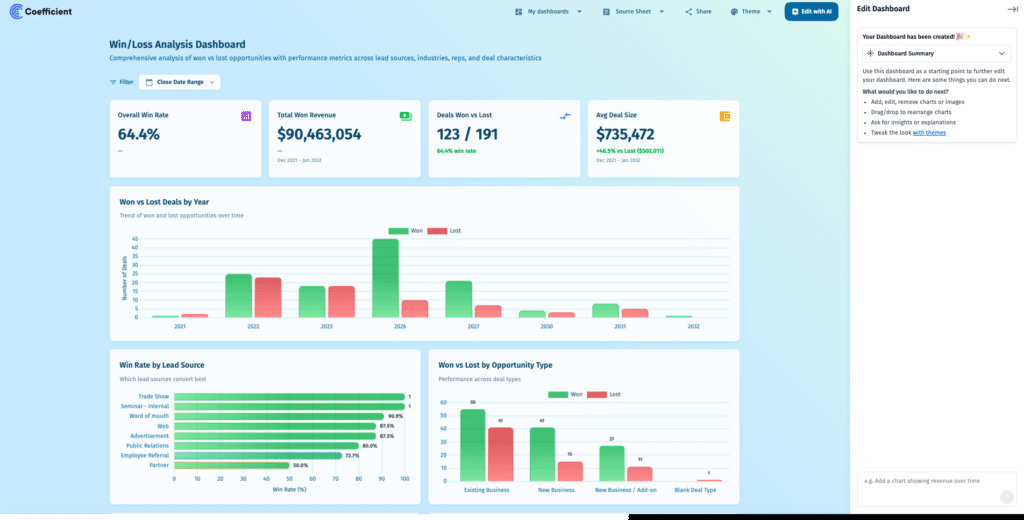
Coefficient’s AI Sheets Assistant can generate a full dashboard from a single prompt: charts, pivot summaries, and KPI cards arranged in a clean layout, all built from live connected data. Those dashboards can then be published as Live Web Dashboards — shareable URLs that update automatically as the underlying data refreshes. No BI tool required, no separate platform, no manual refresh. Gemini can create individual charts but cannot produce a multi-component dashboard or publish a live web view.
Why live data matters: the limitation Gemini in Sheets cannot solve
There is a structural constraint in how Gemini in Sheets works that no amount of prompt engineering fixes: it can only analyze the data that is already in the spreadsheet.
For many use cases, that is fine. A project tracker, a budget model, a content calendar — these are self-contained datasets that live comfortably in the sheet. Gemini’s AI works well on them.

Stop exporting data manually. Sync data from your business systems into Google Sheets or Excel with Coefficient and set it on a refresh schedule.
Get Started
The constraint becomes a real problem for teams whose data lives in external systems. A RevOps manager asking Gemini to analyze the pipeline is analyzing whatever was in Salesforce when someone last ran an export. A finance analyst asking Gemini to summarize cash flow is working from the QuickBooks data someone downloaded last week. The AI output is only as current as the underlying data, and if that data is maintained manually, the analysis is always behind.
Coefficient’s AI Sheets Assistant solves this at the data layer, not the AI layer. Because Coefficient maintains live connections to source systems with scheduled refresh, the data the AI works on is always current. The dashboard the AI built yesterday reflects today’s numbers because the underlying import updated overnight. This is the capability gap between a general-purpose AI assistant and an analytics tool built specifically for business teams who run on systems of record.
Coefficient vs Gemini in Sheets: pricing
Both tools are accessible without an enterprise budget, though the pricing models are structured very differently.
Gemini in Sheets is bundled into Google Workspace Business Standard at $16.80/user/month and above. If your team is already on a qualifying Workspace plan, you are already paying for Gemini. There is no separate line item for Sheets-specific AI features on these plans. Business Starter users have access to a more limited version with daily prompt caps. The =AI() function requires Business Standard or higher.
Coefficient has a free plan that includes core data connectivity and the AI Sheets Assistant for basic use. Paid plans start at $49/month with no per-user fees, which means the cost does not scale with team size the way per-seat Workspace pricing does. For teams where multiple people need access to the same live dashboards and reports, the flat pricing model is a meaningful difference.
| Coefficient AI Sheets Assistant | Gemini in Google Sheets | |
| Free tier | Yes | Limited (Business Starter, capped prompts) |
| Paid entry price | $49/month (no per-user fee) | Bundled in Workspace Business Standard ($16.80/user/month) |
| Scales with users | No — flat pricing | Yes — per seat |
| Additional cost to existing Workspace users | Yes — separate subscription | No — already included |
Can you use Coefficient and Gemini in Google Sheets together?
Yes — and this is the reality for most Coefficient users on Workspace. The two tools operate in different parts of the spreadsheet workflow and do not conflict.
Gemini handles everyday in-sheet tasks: writing a formula you cannot remember the syntax for, summarizing a column of text responses, generating a quick chart from a small dataset, or using =AI() to classify rows at scale. These are low-friction tasks where Gemini’s native presence and zero-setup advantage make it the right tool.
Coefficient’s AI Sheets Assistant handles the analytics layer: connecting live data from business systems, building dashboards and pivot reports, writing SQL, and generating outputs that teams can share and rely on as an ongoing source of truth. These are tasks where the depth of Coefficient’s data connectivity and output quality justify the additional tool in the stack.
In practice, the same analyst might use Gemini to clean up a column of messy text and then use Coefficient’s AI to build a dashboard from the live Salesforce data that sits alongside it. The tools complement rather than compete.
Coefficient AI Sheets Assistant vs Gemini: which should you use?
Use Gemini in Sheets if:
- Your team is already on Workspace Business Standard and wants AI help at no additional cost
- Your primary need is formula writing, data summarization, or chart creation from data already in the sheet
- You need to process or classify text at scale across many rows using the =AI() function
- Your data does not come from external systems and does not need live refresh
- You want AI assistance across Gmail, Docs, and other Workspace tools, not just Sheets
Use Coefficient AI Sheets Assistant if:
- Coefficient AI Sheets Assistant if:
- Your data lives in Salesforce, HubSpot, QuickBooks, NetSuite, Snowflake, or another external system
- You need to build dashboards with multiple charts, KPI cards, and live data — not just individual charts
- You want SQL generation that executes against a connected database and returns results to the sheet
- You need reports that stay current automatically through scheduled data refresh
- You want to publish live web dashboards without a separate BI platform
- Your team’s cost model favors flat pricing over per-user fees
Use both if:
- Your team does a mix of content work (text classification, summarization) and business analytics (dashboards, pipeline reports, financial summaries)
- You want Gemini for quick in-sheet tasks and Coefficient for governed, live-data reporting that the wider team relies on
Get started with Coefficient AI Sheets Assistant
If your team needs more than a general-purpose AI assistant — if you need live data from your business systems, dashboard creation, SQL generation, and reports that stay current without manual exports — Coefficient’s AI Sheets Assistant is built for that job. It works inside Google Sheets, requires no BI platform, and connects to the systems your team already runs on.
Try Coefficient free and connect your first data source in minutes.







