Coupler vs Liveflow – Which Data Connector is Right for You?

Last Modified: November 10, 2025 - 14 min read

Julian Alvarado

Choosing between data connectors is about workflows. If you’re evaluating Coupler and Liveflow, you’ve probably discovered that these two platforms couldn’t be more different. One is a multi-destination generalist built for marketing teams. The other is a finance-only specialist built for complex consolidation. Both have passionate user bases and strong ratings, but they solve fundamentally different problems.

Here’s the dilemma: Coupler gives you breadth—300+ integrations at $24/month. But it lacks financial depth, can’t write data back to source systems, and doesn’t support real-time connections.

Liveflow gives you depth—built exclusively for multi-entity financial consolidation with sophisticated chart mapping and inter-company eliminations. But it’s expensive ($500+/month), connects only to QuickBooks and Xero, and can’t touch your CRM, marketing, or operational data.

Both platforms excel in their narrow lanes, but here’s what most comparisons miss: they share critical limitations that modern finance teams can’t ignore.

Neither offers live data connections. Neither provides two-way sync. Neither connects financial systems with sales, marketing, and operational data. Neither supports NetSuite.

For teams that need comprehensive business intelligence alongside financial reporting, these gaps matter enormously.

Let’s break down exactly how Coupler and Liveflow compare, where they both fall short, and why most finance teams ultimately need something more comprehensive.

Coupler overview: multi-destination flexibility at entry-level pricing

Coupler has built its reputation as the Swiss Army knife of data connectors. With over 1 million users worldwide and a 4.8/5 G2 rating across 60+ reviews, the platform has proven its value for teams that need data in multiple destinations.

What Coupler does well

Coupler’s defining feature is destination flexibility. Unlike most data connectors that focus exclusively on spreadsheets, Coupler sends data to:

  • Google Sheets, Excel
  • Looker, Power BI, Tableau, Google Data Studio
  • Snowflake, BigQuery, Redshift, PostgreSQL, MySQL

This multi-destination architecture makes sense for organizations with diverse analytics workflows—marketing data goes to Sheets for quick analysis, Looker for executive dashboards, and Snowflake for long-term warehousing, all from the same platform.

The integration breadth is genuinely impressive. Coupler supports 300+ data sources including:

  • CRMs (Salesforce, HubSpot, Pipedrive)
  • Marketing platforms (Google Ads, Facebook Ads, LinkedIn Ads)
  • E-commerce systems (Shopify, WooCommerce, BigCommerce)
  • Financial tools (QuickBooks, Xero, Stripe)
  • Project management (Jira, Asana, Monday.com)
  • Customer support platforms (Zendesk, Intercom, Freshdesk)

For teams with diverse tech stacks or niche tools, this breadth increases the likelihood of finding pre-built connectors.

Coupler excels for marketing analysts and data teams routing information to multiple destinations (Sheets + Looker + Snowflake) at an accessible $24/month price point.

Coupler pricing: accessible entry point

  • Free Plan: 14-day trial without credit card requirement
  • Starter: $24/month (lowest in category)
  • Mid-Tier: $99-149/month for advanced features
  • Enterprise: Custom pricing for high-volume needs
  • Annual Discount: Up to 25% savings on annual commitments

The transparent, published pricing makes budgeting straightforward. At $24/month, Coupler is half the price of many alternatives, making it particularly attractive for budget-conscious teams or those testing data automation for the first time.

Where Coupler shows limitations

Despite its strengths, Coupler reveals critical gaps:

  • One-way data flow only. You can’t update Salesforce records from spreadsheets or push budgets back to QuickBooks.
  • Scheduled refreshes create inherent lag. 15-minute minimum means you’re always working with slightly stale data.
  • Financial consolidation capabilities remain superficial. No chart mapping, inter-company elimination logic, or multi-currency consolidation.
  • Zero NetSuite integration. Creates a significant gap for mid-market companies.
  • Separate web interface adds complexity. Not spreadsheet-native like alternatives.

Despite these limitations, Coupler serves its target audience well: teams that need marketing and general business data routed to multiple destinations at an accessible price point. The question is whether that profile matches your actual requirements.

Liveflow overview: specialized financial consolidation excellence

Liveflow has made a deliberate choice: become the absolute best at multi-entity financial consolidation, even if it means doing nothing else. With a 4.9/5 G2 rating across 300 reviews and customers reporting they save 3-25 hours monthly, Liveflow has validated this focused strategy.

What Liveflow does exceptionally well

Financial consolidation automation represents Liveflow’s core strength. The platform’s QuickBooks Online integration captures every financial nuance with remarkable depth—custom fields, specialized reports, transaction details, and account structures. Connect multiple QuickBooks entities, and Liveflow automatically:

  • Maps charts of accounts
  • Identifies inter-company transactions for elimination
  • Handles currency conversion across 160+ currencies using customizable exchange rates
  • Calculates minority interests for complex ownership structures
  • Generates consolidated financial statements ready for review

One-click consolidation that would take your senior accountant three hours completes in seconds. Roberto Carroz notes, “Saves us 3 days every month on consolidation,” while Milk Moovement reports a “4X faster month-end close.” These aren’t marginal improvements—they’re transformative time savings for finance teams drowning in manual consolidation work.

Edge case handling sets Liveflow apart:

  • Multi-tier ownership structures
  • Complex regulatory reporting
  • Sophisticated elimination logic
  • Automated consolidation journals with review workflows

For organizations with genuinely complex financial structures, this specialized capability justifies premium pricing.

White-glove customer support delivers 30-second average response times with dedicated success managers. This level of support matters when implementing complex consolidation rules that directly impact regulatory reporting and board materials. Quality of support scores 9.8/10 on G2, reflecting consistently excellent service.

Liveflow’s target audience

Liveflow is purpose-built for:

  • CFOs managing 15+ subsidiaries with complex structures
  • Finance teams with multi-tier ownership and minority interests
  • Private equity firms consolidating portfolio companies
  • Organizations requiring specialized regulatory reporting
  • Companies exclusively using QuickBooks Online or Xero

If your consolidation scenarios involve genuinely complex edge cases, Liveflow’s specialization becomes valuable.

Liveflow pricing: premium custom pricing

Liveflow doesn’t publish pricing. Third-party sources suggest:

  • $500+/month subscription
  • Implementation fees around $2,500+
  • First-year total: $8,500-10,000+
  • Free trial available

Where Liveflow reveals critical limitations

Despite consolidation excellence, Liveflow’s narrow focus creates constraints:

Connects only to QuickBooks Online and Xero. No NetSuite, Sage Intacct, Stripe, CRM, marketing, or operational systems.

This creates a fundamental problem: finance teams see what happened but not why. Revenue declined 12%—was it sales execution, marketing performance, or operational efficiency? Liveflow can’t answer because it doesn’t connect to systems holding those explanations.

  • One-way data flow only. You can’t push budgets back to QuickBooks from approved plans.
  • Scheduled processing creates lag. Consolidations run on schedules, not continuously.
  • Separate platform requires learning. Liveflow-specific workflows versus building on spreadsheet expertise.
  • Premium pricing demands substantial ROI. At $500+/month (10x alternatives), justification becomes critical.

Liveflow excels at its specific mission: sophisticated multi-entity financial consolidation for complex scenarios. The question is whether your actual requirements match that narrow mission, or whether you need financial capabilities alongside broader business intelligence.

Head-to-head comparison

Now let’s examine how Coupler and Liveflow actually stack up across the dimensions that matter most for finance teams and data-driven organizations.

Data source connectors: breadth vs depth vs finance-first

  • Coupler: 300+ integrations emphasizing marketing and general business (Google Ads, Shopify, Salesforce), with QuickBooks and Xero included in the broader ecosystem.
  • Liveflow: Only two accounting platforms—QuickBooks Online (deep integration) and Xero (strong but less mature). Zero CRM, marketing, operational, or data warehouse connections.
  • Neither integrates with NetSuite—a dealbreaker for mid-market teams. Companies migrate to NetSuite for multi-entity capabilities, yet neither platform supports this critical ERP.

Financial reporting capabilities: automation vs flexibility vs comprehensiveness

Coupler provides basic financial extraction—pull QuickBooks or Xero data into destinations, then build reports manually. No automated consolidation, chart mapping, or elimination detection. Works for single-entity businesses, insufficient for multi-entity consolidation.

Liveflow excels at automated multi-entity consolidation:

  • Maps charts across subsidiaries
  • Identifies inter-company eliminations
  • Handles multi-currency (160+ currencies)
  • Calculates minority interests
  • Generates consolidation journals
  • Produces consolidated statements with one click

Quality matches senior accountants but completes in seconds. However, reporting stops at consolidated statements—can’t combine with sales forecasts, marketing ROI, or operational metrics.

Real-time data vs scheduled imports: lag time matters

Both Coupler and Liveflow use scheduled batch processing. Coupler’s minimum interval is 15 minutes, with most workflows hourly/daily. Liveflow runs consolidations on-demand or scheduled. This works fine for retrospective analysis but creates lag for current-state monitoring. Your dashboards show data as of the last refresh—not real-time activity. Neither supports truly live connections that update continuously as source data changes.

Cross-functional analysis: siloed vs limited vs comprehensive

Coupler pulls from multiple systems but doesn’t facilitate combining them into unified analysis. Data often flows to different destinations (marketing to Looker, finance to Sheets), requiring separate synthesis.

Liveflow provides zero cross-functional capability. Accounting-only connections mean combining financials with sales, marketing, or operations requires separate tools and manual correlation.

The problem: your P&L shows EBITDA declined 15%—but why? Neither platform answers this by connecting financial results with sales, marketing, or operational context.

Governance and security: enterprise standards across the board

Coupler and Liveflow use encryption, secure authentication, and access controls, though specific compliance certifications (SOC 2, GDPR) weren’t prominently documented.

Ease of use and setup: platform training vs spreadsheet familiarity

Coupler uses a separate web interface for pipeline configuration. Makes sense for multi-destination routing but adds overhead for straightforward spreadsheet reporting.

Liveflow provides specialized consolidation workflows. Customer reviews acknowledge substantial training and setup periods. White-glove support (30-second response times) helps, but reveals ongoing assistance needs.

Both require learning platform-specific workflows versus building on existing spreadsheet expertise.

The limitations both platforms share

Despite their strengths, both Coupler and Liveflow share fundamental limitations that many mid-market finance teams will encounter quickly.

No live data connections

Both platforms rely on scheduled batch processing. Coupler’s minimum refresh is 15 minutes. Liveflow runs consolidations on-demand or scheduled intervals. Neither provides truly live data that updates continuously as source data changes. You’re always working with slightly stale information, adequate for retrospective analysis but limiting for real-time monitoring.

No two-way sync

Neither platform writes data back to source systems. Both are strictly one-way—data flows from sources to destinations only. This forces:

  • Manual re-entry of approved budgets into QuickBooks
  • Manual updates to Salesforce after spreadsheet cleanup
  • Disconnected workflows between planning and execution

No cross-functional integration

Coupler provides breadth but not meaningful cross-functional synthesis. Liveflow provides depth but zero non-financial connections. Neither platform enables comprehensive business intelligence that combines financial statements with the sales, marketing, and operational context that explains financial performance.

No NetSuite support

Both platforms lack NetSuite integration, creating dealbreaker limitations for mid-market companies. Organizations graduate to NetSuite for multi-subsidiary capabilities and complex financial reporting—precisely when sophisticated data tools become most valuable. Neither Coupler nor Liveflow supports this critical transition.

Platform training requirements

Both require learning platform-specific workflows in separate interfaces rather than building on existing spreadsheet expertise:

  • Coupler uses a web-based pipeline configurator
  • Liveflow provides specialized consolidation workflows
  • Neither works natively within the spreadsheet tools finance teams use daily

Limited AI capabilities

Coupler offers AI Insights for data interpretation. Liveflow doesn’t emphasize AI at all. Neither provides AI copilot functionality that helps users build analyses faster, generate formulas, or construct reports through natural language instructions.

Coefficient Excel Google Sheets Connectors
Try the Free Spreadsheet Extension Over 500,000 Pros Are Raving About

Stop exporting data manually. Sync data from your business systems into Google Sheets or Excel with Coefficient and set it on a refresh schedule.

Get Started

Enter Coefficient: a superior alternative

What if you didn’t have to choose between Coupler’s breadth and Liveflow’s financial depth? What if a single platform delivered robust multi-entity financial consolidation, comprehensive cross-functional data integration, live data connections, and two-way sync—all within the spreadsheet tools your team already uses?

That’s exactly what Coefficient provides.

Coefficient serves 500,000+ users across 50,000+ companies, earning a 4.7/5 G2 rating.

Demonstrating both capability and customer experience excellence.

Coefficient connects 100+ business systems directly into Google Sheets and Excel, including:

  • Financial platforms: QuickBooks Online, QuickBooks Desktop, Xero, NetSuite, Sage Intacct, Stripe, Chargebee
  • Sales systems: Salesforce, HubSpot, Pipedrive
  • Marketing platforms: Google Ads, Facebook Ads, LinkedIn Ads
  • Operational tools: Jira, Zendesk, Asana
  • Data platforms: Snowflake, BigQuery, Redshift, MySQL, PostgreSQL

This cross-functional integration means your consolidated financial statements sit directly next to sales pipeline forecasts, marketing ROI analysis, and operational efficiency metrics—providing comprehensive business intelligence that finance-only or general-purpose tools can’t match.

The platform works inside Google Sheets and Excel as a native sidebar panel. There’s no separate interface to learn, no platform-specific workflows to master, no context switching between applications. You open your spreadsheet, launch Coefficient, select your data sources, and build exactly the analysis you need using spreadsheet tools and knowledge you already possess.

Coefficient addresses every critical limitation that Coupler and Liveflow share:

  • Live data connections update spreadsheets in real-time as source data changes
  • Two-way sync lets you update Salesforce, HubSpot, QuickBooks, and databases directly from spreadsheet work
  • Cross-functional data integration combines financial, sales, marketing, and operational data in unified analyses
  • NetSuite integration handles the critical ERP platform both competitors miss
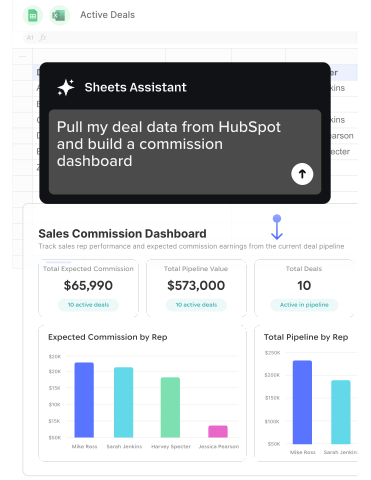
  • AI Sheets Assistant provides copilot functionality that accelerates spreadsheet work through natural language instructions

The results speak through customer experiences:

  • Christian Budnik at Solv eliminated 364 hours per year of manual data pulls while providing leadership with real-time dashboards
  • Michael Kolodin at Cyrq Energy built in days what would have taken months using other approaches, saving $50,000+ annually
  • Mischelle Davis at Loftium saved 40 hours per month on financial reporting
  • Brian Chalif at Mutiny provided executive leadership with cross-functional reporting they could trust for strategic decisions

Pricing is transparent and published:

  • Free plan for testing
  • Starter at $49/month for small teams
  • Pro at $99/user/month for advanced features
  • Enterprise with custom pricing for large deployments

No hidden fees, no surprise implementation costs, no sales negotiations required to understand your budget requirements.

Why Coefficient outperforms both

Coefficient doesn’t just fill the gaps that Coupler and Liveflow leave—it provides a fundamentally superior approach to financial reporting and business intelligence for modern finance teams.

Specific advantages over Coupler

Coefficient provides:

  • Live data: Updates in seconds vs Coupler’s 15-minute minimum
  • Two-way sync: Update source systems, not just read
  • Spreadsheet-native interface: No separate platform to learn
  • Financial depth: Multi-entity consolidation vs basic extraction
  • Transparent per-user pricing: vs volume-based complexity

Evan Cover at Klaviyo: “Coefficient takes a tool everyone is familiar with and combines it with the power of a database. The result has been faster, better, and more accurate analysis by everyone—especially those that can’t code.”

Specific advantages over Liveflow

Coefficient provides:

  • Cross-functional intelligence: Finance + sales + marketing vs Liveflow’s finance-only isolation
  • NetSuite support: Critical mid-market ERP Liveflow lacks
  • 10x lower cost: $49-99/month vs $500+/month
  • Spreadsheet flexibility: vs platform constraints
  • AI copilot assistance: vs none
  • Transparent pricing: vs sales-gated quotes

Sam Sholeff at Cyrq Energy: “Coefficient worked right out of the box. It was immediately clear how to use it without needing extensive training or support.”

Unique features neither competitor offers

Beyond advantages over specific competitors, Coefficient provides capabilities that neither Coupler nor Liveflow offers at any price:

Live data + two-way sync combination. No other platform provides both real-time data connections and bidirectional sync capabilities. This combination enables operational workflows that transform spreadsheets from reporting tools into data operations platforms. Pull live data, analyze in spreadsheets, update source systems automatically—all in unified workflows.

Cross-functional by design. Coefficient explicitly optimizes for combined analysis that blends financial, sales, marketing, and operational data. This architectural philosophy means the platform treats cross-functional intelligence as core functionality rather than an afterthought.

Spreadsheet-native AI copilot. Neither competitor offers AI assistance that helps you work faster within spreadsheets themselves. Coefficient’s AI Sheets Assistant:

  • Generates formulas
  • Creates analysis structures
  • Suggests approaches using natural language instructions

Accelerating work for users at all skill levels.

Platform parity across Excel and Sheets. Full feature parity means Excel power users and Google Sheets teams get identical capability. You’re not choosing between platforms or accepting second-class support based on your spreadsheet preference.

Proven ROI with quantified results. Customer testimonials provide specific, quantified value:

  • 364 hours saved annually (Solv)
  • $50,000+ saved annually (Cyrq Energy)
  • “Hours to minutes” transformation (Miro)

These aren’t vague improvement claims—they’re specific, measurable business outcomes.

Alexander Bugajski at Miro describes the transformative impact: “The realization that my spreadsheet could directly connect to our data warehouse was an absolute game-changer. It was like having my own instance of Snowflake I could pull data out of for my models… I recall the hours spent in the old routines. Today, tasks that once consumed hours of my time each week are accomplished in minutes.”

The verdict

When Coupler makes sense

Choose Coupler if you:

  • Need data routed to BI tools (Looker, Power BI) or warehouses alongside spreadsheets
  • Work exclusively with marketing data
  • Find $24/month pricing critical

When Liveflow makes sense

Choose Liveflow if you:

  • Manage 15+ subsidiaries with multi-tier ownership requiring sophisticated edge case handling
  • Need specialized regulatory reporting
  • Use only QuickBooks/Xero with no NetSuite plans
  • Have zero cross-functional analysis needs

Why most finance teams choose Coefficient

For teams managing 2-8 entities with straightforward consolidation, needing to understand both what happened and why, planning to scale to NetSuite, working in spreadsheets, and seeking transparent pricing—Coefficient delivers superior value.

Transparent pricing starts at $49/month. Test free without credit card requirements. Achieve meaningful results within hours, not weeks. Join 500,000+ users across 50,000+ companies who’ve chosen spreadsheet-native intelligence over specialized limitations.

Get started with Coefficient today—because the best financial reporting delivers both financial depth and cross-functional insight.

Sync Live Data into Your Spreadsheet

Connect Google Sheets or Excel to your business systems, import your data, and set it on a refresh schedule.

Try the Spreadsheet Automation Tool Over 700,000 Professionals are Raving About

Tired of spending endless hours manually pushing and pulling data into Google Sheets? Say goodbye to repetitive tasks and hello to efficiency with Coefficient, the leading spreadsheet automation tool trusted by over 350,000 professionals worldwide.

Sync data from your CRM, database, ads platforms, and more into Google Sheets in just a few clicks. Set it on a refresh schedule. And, use AI to write formulas and SQL, or build charts and pivots.

Julian Alvarado Content lead
Julian is a dynamic B2B marketer with 8+ years of experience creating full-funnel marketing journeys, leveraging an analytical background in biological sciences to examine customer needs.
700,000+ happy users
Wait, there's more!
Connect any system to Google Sheets in just seconds.
Get Started Free

Trusted By Over 50,000 Companies