


Quick answer
Google Sheets AI is here and it’s impressive. Gemini integration and the =AI() function transform spreadsheets into smart analytical tools. Generate formulas with plain English, create charts instantly, and analyze sentiment in customer data—all without leaving Sheets.
The catch? Limited to Workspace users, staged rollouts, and zero live data connections. For real-time business intelligence, you’ll need tools like Coefficient that combine AI power with live data from your CRM, marketing tools, and databases.
Bottom line: Google’s AI handles in-sheet tasks brilliantly, but falls short for comprehensive business analysis. Pair it with live data tools for the complete solution.
Does Google Sheets have an AI agent?
Sort of…
Google Sheets offers AI-powered features through Gemini integration and the =AI() function for Workspace users. These agents automate a wide range of spreadsheet tasks:
- Automate data entry and formatting
- Generate and suggest formulas
- Summarize, categorize, and analyze text and data
- Provide charting and visualization suggestions
- Allow natural language prompts to manipulate and analyze data
- Integrate with other Google Apps like Forms and Slides for enhanced workflows
These features make AI a native, deeply integrated assistant within the Sheets environment. No external tools needed.
What are the latest Google Sheets AI features?
1. Gemini AI-powered data analysis & visualization

Released for Workspace users in early 2025, Gemini enables users to create charts and generate insights directly in spreadsheets.
Highlights:
- Instantly generates charts and visualizations
- Converts natural language requests into spreadsheet actions (e.g., “show me sales by month”)
- Automates data pattern interpretation and surfaces trends
- Generates Python code for complex analysis needs
“Gemini can provide insights, generate charts, and even convert requests into Python code for further analysis. Applications range from marketing insight generation to predictive analytics.”
2. The =AI() formula for text generation, summarization, and analysis
With the new AI formula, users can:
- Generate marketing copy, email drafts, and product descriptions
- Summarize long datasets or survey responses
- Categorize or tag data automatically
- Perform sentiment analysis on comments or feedback
Example use cases:
- =AI(“Summarize the customer feedback in C2:C100”)
- =AI(“Write an Instagram ad for the product in A3”)
- =AI(“Detect sentiment for the reviews in column D”)
What are the popular Google Sheets AI features?
Smart formula generation
AI can write complex formulas for you—simply describe your goal in plain English, and get the exact Google Sheets formula you need. No more wrestling with nested IF statements, REGEX, or complicated lookups.
Benefits:
- Saves time for non-technical users
- Reduces formula errors
- Empowers users to automate advanced calculations directly in the sheet
Availability by pricing plans
This feature is available to all active Gemini/Workspace Lab users. For enterprise deployments, it may require the admin to enable Alpha features or Gemini access.
Natural language data manipulation
You can use the Gemini AI agent and the sidebar to manipulate data, build visualizations, or summarize reports by simply typing in plain language (e.g., “show me average sales per region for Q2”).
Benefits:
- Lowers the barrier for data analysis
- Makes advanced features accessible to all users
Availability by pricing plans
Bundled with Gemini for Google Workspace—requires a compatible plan and, in some organizations, admin enablement.
Sentiment and content analysis directly in Sheets
With the new AI formula, scan, tag, and analyze large sets of qualitative data—such as customer reviews—without leaving Google Sheets.
Benefits:
- Instantly label positive/neutral/negative sentiment
- Automate survey or feedback reporting
- Useful for sales, marketing, and support teams
Availability by pricing plans
Available to Gemini users, Google Workspace Labs participants, and rolling out to business customers worldwide in 2025.
AI chart and dashboard suggestions
Gemini can automatically choose the best type of visualization for your dataset and build a chart with a single command.
Benefits:
- Great for presentations and quick data explorations
- Reduces dependency on manual chart-building
Availability by pricing plans
Part of Gemini-powered features within Google Sheets; access varies by Workspace subscription.
Text extraction and automated cleanup
AI tools in Sheets now let you extract key details from cluttered or unstructured text fields, whether for SEO research, product descriptions, or email parsing.
Benefits:
- Clean and structure your data fast, even for hundreds of rows
- Combine with other Google features for advanced workflows
Availability by pricing plans
General rollout through 2025 for Gemini-enabled accounts.
Common limitations of Google Sheets AI
Accuracy and context limitations
AI-generated content might sound generic, occasionally be factually incorrect, or not fit your exact brand tone. Always review and edit outputs before publishing.
“While the AI model is powerful, the accuracy may occasionally produce text that sounds generic, is factually incorrect, or doesn’t perfectly match your brand’s specific tone.”
This generic tone can be a significant hurdle when drafting formal research or scholarly publications. To avoid the pitfalls of AI hallucinations and ensure your findings meet rigorous standards, many users choose to pair their data analysis with a paper writing service. This ensures that the technical precision of your Google Sheets data is matched by human-verified, high-quality writing
Access and rollout restrictions
Some features (like the =AI() formula and Gemini agent) may only be available to Google Workspace Labs or Gemini-licensed users, with staged rollouts. This has caused confusion among users trying to access features they’ve seen previewed online or in help docs.
“If you can’t find these AI features, your administrator may need to enable Alpha features for your organization.”
Data security and privacy concerns
Users on Reddit and forums report concern about sensitive business data being processed by Google’s AI models. There’s a lack of transparency about how training data is used, and some users recommend not processing confidential info with AI features.
“I’m looking to build an agent that can work with an existing Google Sheet… there’s not a lot of official guidance on keeping sensitive business data fully private when using these agents.”
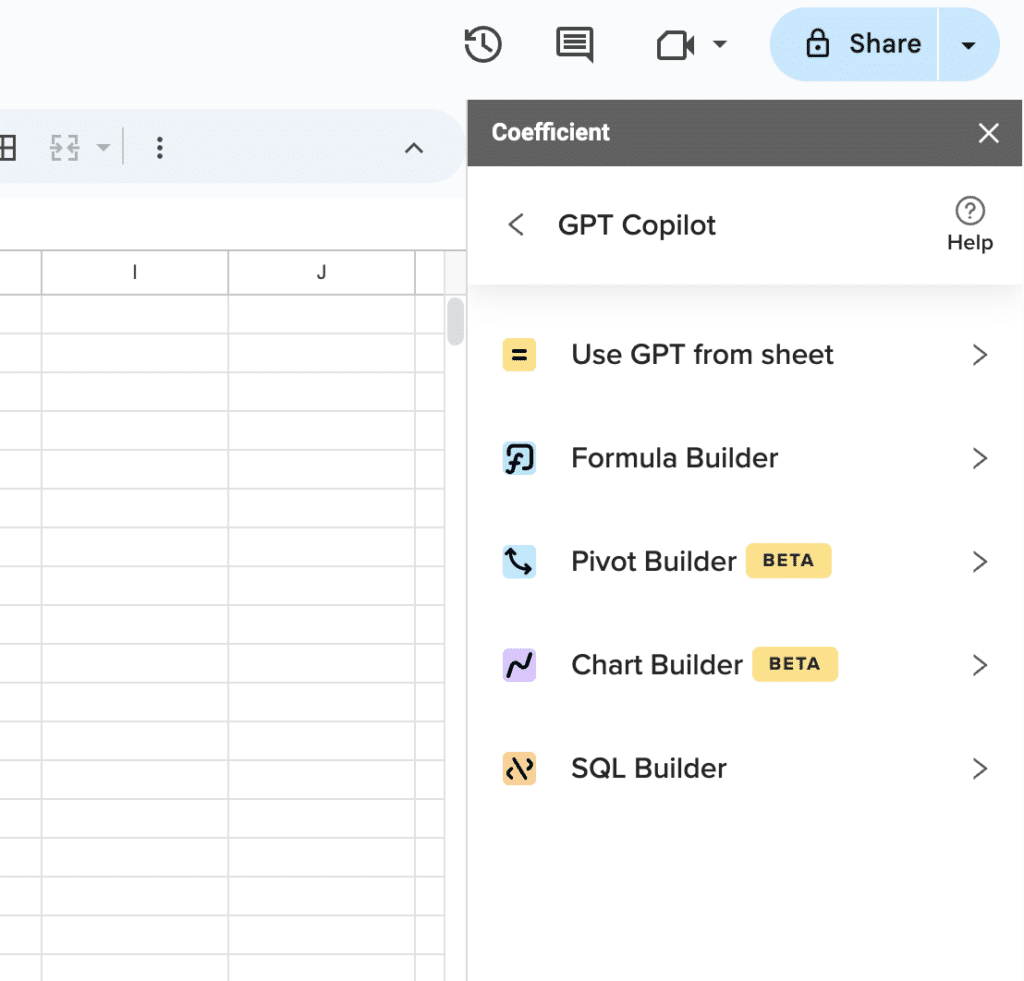
Supercharge your spreadsheets with GPT-powered AI tools for building formulas, charts, pivots, SQL and more. Simple prompts for automatic generation.

Performance and customization limits
While Gemini and native AI are powerful, advanced or highly custom workflows still require manual scripting or external tools. For automation across multiple systems (e.g., Reddit-to-Sheets imports), add-ons like Zapier are often still needed.
“For more custom workflows, users turn to Integromat or Zapier to link Reddit or other sources to Sheets—AI handles the in-sheet part but not complex cross-app automation.”
What are the alternatives to Google Sheets AI?
Coefficient AI

While Google’s AI handles in-sheet tasks brilliantly, it can’t pull live data from your business systems or create comprehensive dashboards.
Coefficient’s AI Sheets Assistant fills that gap:
Use case 1: Live data analysis – Connect Salesforce, HubSpot, or any of 70+ business systems directly to Sheets, then use Coefficient’s AI to analyze real-time data patterns and generate insights your team can act on immediately.
Use case 2: Automated dashboard creation – Transform raw business data into interactive dashboards with charts, pivot tables, and KPI tracking—all through natural language commands like “create a sales performance dashboard for Q1.”
Get started with Coefficient and bring your business data to life.
Zapier

Zapier excels at connecting Google Sheets to thousands of other apps through automated workflows called “Zaps.”
Use case 1: Data collection automation – Automatically send form submissions, CRM updates, or social media mentions directly into Google Sheets without manual data entry.
Use case 2: Workflow triggers – Set up Sheets to trigger actions in other apps—like sending Slack notifications when certain data thresholds are met or creating calendar events from spreadsheet data.
Clay

Clay specializes in data enrichment and lead generation, making it perfect for sales and marketing teams working with Google Sheets.
Use case 1: Contact enrichment – Upload a list of companies or emails to Clay, and it automatically fills in missing information like company size, industry, social profiles, and contact details.
Use case 2: Automated prospecting – Use Clay’s AI to find and validate prospects based on specific criteria, then automatically populate your Google Sheets with enriched lead data ready for outreach.
Ready to supercharge your spreadsheets?
Google Sheets AI is powerful, but it’s just the beginning. Real business intelligence happens when you combine AI capabilities with live data from your actual business systems. That’s where most teams hit a wall—until now.
Why settle for static data analysis when you can work with real-time business insights? Whether you’re tracking sales performance, monitoring marketing campaigns, or analyzing customer data, the combination of live data connections and AI assistance transforms how fast you make decisions.
The best part? You don’t need to be a data expert to get started. Natural language commands, automated insights, and seamless integrations mean anyone on your team can build powerful analyses in minutes, not hours.
Start building smarter with live data and AI working together.
FAQs
Does Google Sheets have AI features?
Yes, Google Sheets offers AI features through Gemini integration and the =AI() function for Workspace users. These include formula generation, data analysis, chart creation, and text processing capabilities. However, access depends on your Google Workspace plan and admin settings.
How to automate Google Sheets using AI?
Use Google’s Gemini AI agent in the sidebar for natural language commands like “create a sales chart” or “summarize customer feedback.” You can also use the =AI() formula for text analysis and generation. For deeper automation with live business data, Coefficient’s AI Assistant connects your existing systems directly to Sheets.
Can I use ChatGPT with Google Sheets?
While Google Sheets doesn’t have direct ChatGPT integration, you can use Google’s native AI features (Gemini and =AI() function) for similar capabilities. For more advanced AI analysis with live data, Coefficient’s AI Assistant provides ChatGPT-like functionality specifically designed for business spreadsheets.
How to use Google’s AI feature?
Access Google’s AI through the Gemini sidebar (available to Workspace users) or use the =AI() formula in cells. Simply type natural language requests like “show sales trends” or “=AI(‘analyze this data’)”. Make sure your admin has enabled AI features for your organization first.







