


Your spreadsheets are smart. But they could be smarter.
Manual data entry, repetitive formulas, and time-consuming analysis are productivity killers that AI tools can now eliminate in seconds. The Google Sheets AI landscape has shifted significantly in 2026. Google’s own Gemini integration has made native AI functions available to all standard Workspace users, while a new generation of add-ons has raised the bar on bulk processing and live data connectivity.
Here are the five tools worth your attention in 2026.
Feature Comparison Table
| Tool | AI Models | Live Data Sync | Pricing | Best For |
| Coefficient AI | GPT-powered | Real-time (150+ sources) | Free plan available. Paid plans from $49/month | Live data connectivity + AI analysis, dashboards in Sheets |
| Gemini in Google Sheets | Gemini (Google) | Google Workspace native | Free with Workspace | Native AI functions and conversational analysis, no add-on needed |
| GPT for Sheets (GPT for Work) | GPT-4o, Claude, Gemini | No | From $29 (credit packs) | Bulk AI processing: text generation, translation, categorization at scale |
| SheetAI | OpenAI / Gemini | No | Free + Paid from $5.99/month | Formula generation and text tasks for non-technical users |
| Sheetgo | No AI models | Automated transfers | From $20/month | Data workflow automation across Sheets, Excel, and CSV |
1. Coefficient AI
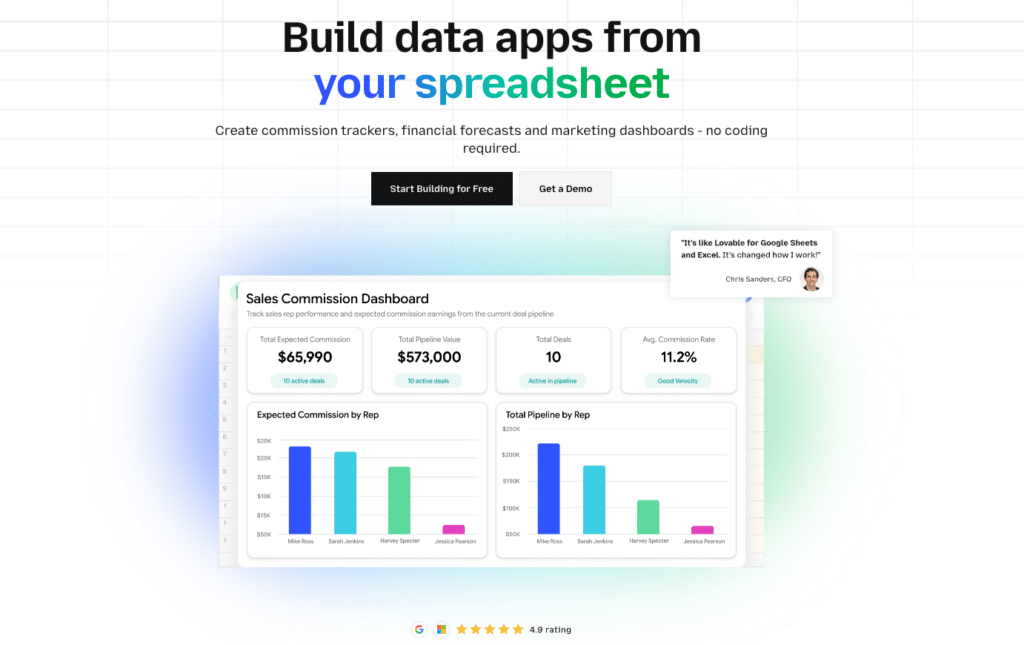
Coefficient AI transforms Google Sheets into a command center for live business data. Connect Salesforce, HubSpot, QuickBooks, NetSuite, Snowflake, and 150+ other systems directly to your spreadsheet. Ask questions in plain English. Watch as dashboards, pivots, and reports build themselves automatically. All without leaving Sheets.
Highlights of Coefficient AI
Live data connectivity: Pulls real-time data from your entire tech stack directly into one spreadsheet, on a schedule you control.
AI Sheets Assistant: Generates formulas, charts, pivot tables, and insights from simple text prompts. Clean data, write SQL, and build models without writing a single formula.
Vibe Dashboards (Web Dashboards): Build live shareable web dashboards with spreadsheet data using powerful AI sheets assistant in plain english.
Pros
- Eliminates manual data entry: Direct connections to 100+ business systems mean your spreadsheets update automatically. No more copy-paste workflows or stale reports.
- Accelerates decision-making: Ask what’s happening in your pipeline, your financials, or your campaigns, and get instant visualizations. The AI interprets trends and flags anomalies you might miss.
- Works inside Google Sheets: No new platform to learn. Coefficient adds live data and AI capability to the spreadsheet environment your team already uses.
Cons
- Integration dependency: Advanced features rely on connected systems. If a source system has downtime, real-time reporting is affected.
Pricing
Free plan available. Paid plans start from $49/month. Visit coefficient.io/pricing for current plan details.
What do users say about Coefficient AI?
Positive: “Coefficient made data collaboration effortless for our finance and sales teams. Live sync and automated reporting save us hours every week.”
Critical: “The interface can become overwhelming for new users, and advanced integrations require initial setup time.”
Support
Coefficient offers onboarding guides, a detailed help centre, and direct support tickets. Priority support comes with higher-tier plans.
2. Gemini in Google Sheets
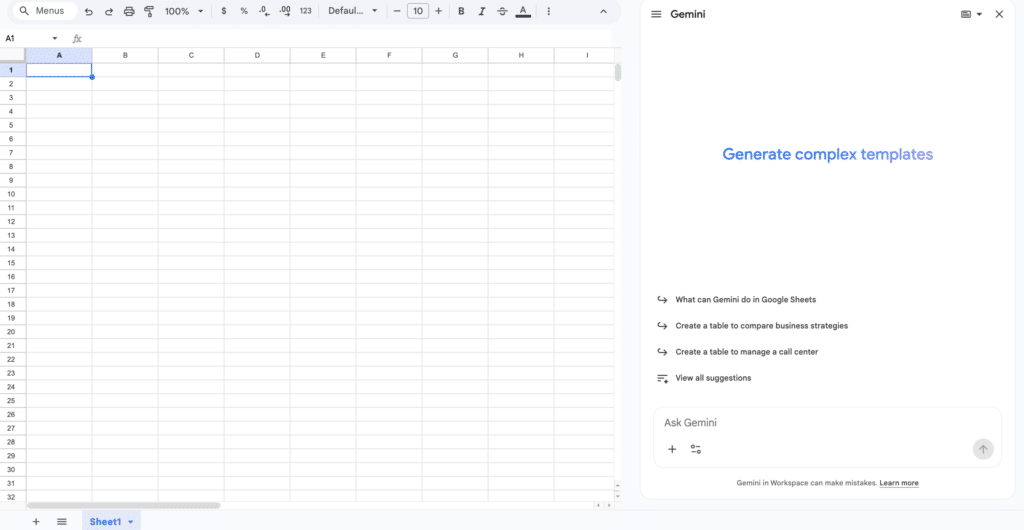
Google’s Gemini AI is now deeply integrated into Google Sheets and available to all standard Workspace users at no additional cost. The =AI() function and the Gemini sidebar bring large language model capabilities directly into everyday spreadsheet work — no add-on installation, no API key, no separate subscription.
The =AI() function handles text generation, data categorization, sentiment analysis, and information extraction across entire columns with a single formula. The Gemini sidebar supports conversational analysis: ask what trends are visible in your data, and get chart suggestions and plain-language summaries in seconds.
Highlights of Gemini in Google Sheets
Native =AI() function: Run AI prompts directly in cells for categorization, summarization, sentiment analysis, and text generation at column scale.
Gemini sidebar: Conversational data analysis inside Sheets — ask questions in plain English and get charts, pivot table suggestions, and instant summaries.
Pros
- No setup required: Built into standard Google Workspace plans. No API key, no marketplace install, no extra subscription for most users.
- Column-scale AI: The =AI() function runs across hundreds of rows simultaneously for tasks like expense categorization or review sentiment analysis.
- Keeps improving: Google continues to expand Gemini capabilities in Sheets, including multi-language support added in late 2025.
Cons
- Results can vary: AI-generated outputs should be verified before use in business-critical reporting. Accuracy depends on prompt quality and data structure.
- Limited for live external data: Gemini analyses data already in your sheet but does not pull live data from external systems. You still need a connectivity tool like Coefficient for that.
- Advanced features require higher Workspace tiers: Some capabilities are only available to Google Workspace Business or Enterprise users.
Pricing
Google integrated core Gemini AI features into standard Workspace plans at no additional cost. Some advanced features require Business or Enterprise plans.
What do users say about Gemini in Google Sheets?
Positive: “The =AI() function replaced an entire column of manual categorization I was doing by hand. It processed 800 rows in seconds.”
Critical: “Great for straightforward tasks, but complex multi-step analysis still requires manual review and prompt iteration.”
Support
Gemini in Sheets is supported through Google Workspace Help Centre, community forums, and standard Workspace support tiers.
3. SheetAI
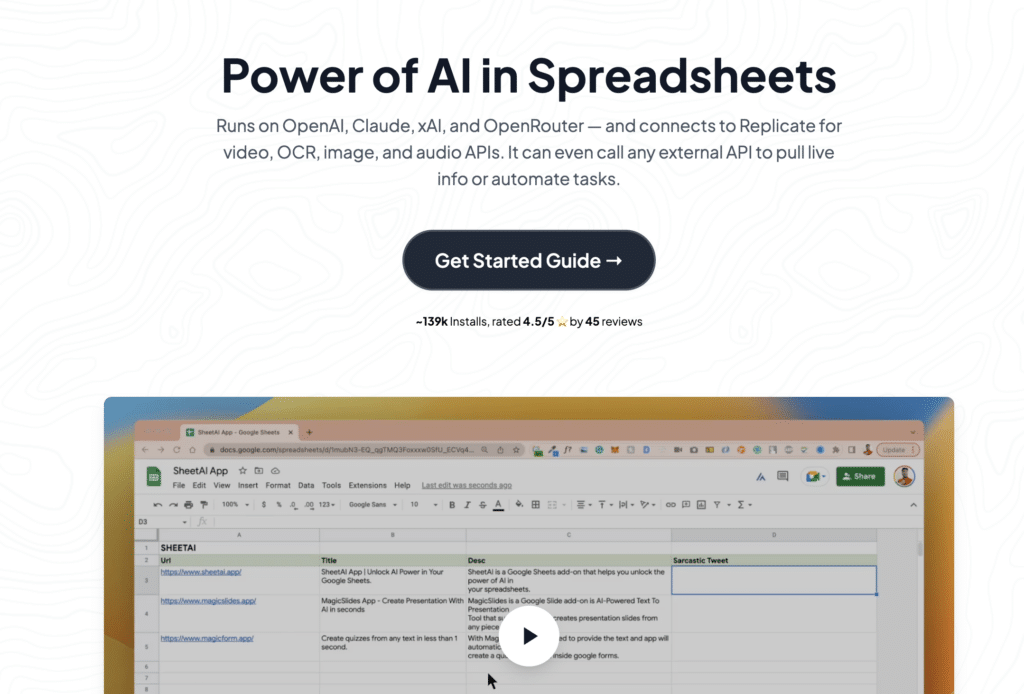
SheetAI brings AI directly into your Google Sheets workspace through natural language formula generation, text processing, and data transformation. Generate formulas by describing what you need in plain English. Summarize, translate, and clean data using =SHEETAI() functions. A sidebar formula generator handles common tasks without requiring users to know spreadsheet syntax.
Highlights of SheetAI
Natural language formula generation: Describe what you want and get a working formula back. No syntax knowledge required.
Customizable AI models: Connects to OpenAI or Gemini backends. Users can bring their own API key for the Unlimited plan.
Pros
- Time-saving automation: Complex formulas and text analysis happen in seconds. Ideal for users who spend time searching for the right spreadsheet syntax.
- Easiest entry point: At $5.99/month for Pro, SheetAI is the lowest-friction way to add basic AI capability to Sheets without dealing with credit systems or API keys.
- Cost-efficient for light users: Caching features on paid plans reduce repeated API calls, keeping costs predictable for teams with moderate usage.
Cons
- Desktop only: No mobile support limits flexibility for users who work across devices.
- Setup required for Unlimited plan: The $20/month Unlimited tier requires an OpenAI API key, which creates a barrier for less technical users.
- Feature paywalls: The free version provides basic formula generation. More substantive AI capabilities are behind paid tiers.
Pricing
As of 2026, SheetAI offers a free version and paid plans: Pro at $5.99/month (no API key needed), Unlimited at $20/month or $200/year (API key required), and Pay-as-you-go token packs from $29.
What do users say about SheetAI?
Positive: “Seamless formula generation and flexible NLP queries within Google Sheets have supercharged my productivity.”
Critical: “The platform is desktop-only, which limits my ability to work on the go. Some features need better documentation.”
Support
SheetAI provides installation guides, troubleshooting resources, and email support. Paid users get faster response times and hands-on onboarding assistance.
4. GPT for Sheets (GPT for Work)

GPT for Sheets, now called GPT for Work by Talarian, integrates multiple AI models into Google Workspace. Access GPT-4o, Claude, and Gemini simultaneously. Generate content, analyze images, scrape websites, and process large datasets at scale — all without leaving your spreadsheet.
Highlights of GPT for Sheets
Multi-model integration: Access GPT-4o, Claude, Gemini, and more from a single add-on for specialized tasks across content, analysis, and research.
Bulk processing power: Handle hundreds of thousands of rows and high-volume prompts for enterprise-scale operations.
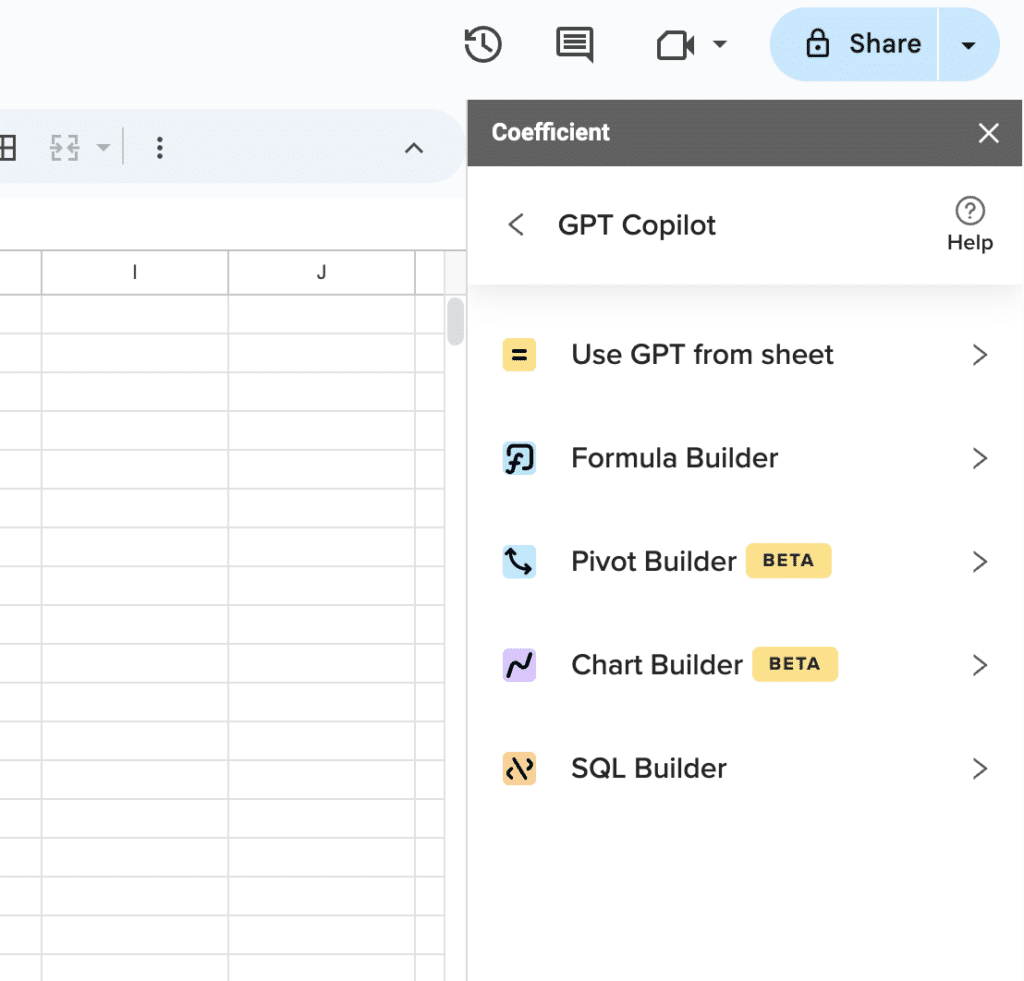
Supercharge your spreadsheets with GPT-powered AI tools for building formulas, charts, pivots, SQL and more. Simple prompts for automatic generation.

Pros
- Flexible AI arsenal: Different models for different tasks. Use Claude for complex analysis, GPT for content generation, Gemini for research — all in one platform.
- Enterprise-scale processing: Bulk operations that would take days happen in minutes. Generate thousands of product descriptions or translations simultaneously.
- Workspace integration: Works across Sheets, Docs, Forms, and Slides. Your entire Google Workspace becomes AI-powered.
Cons
- API complexity: The tool requires your own OpenAI API key for advanced usage. Technical barriers can keep casual users away from premium functionality.
- Usage-based costs add up: The credit pack pricing model means large-scale processing carries variable costs depending on model choice and prompt length.
- Performance on very large sheets: Extremely large spreadsheets can encounter timeouts on complex bulk operations.
Pricing
As of 2026, GPT for Sheets (GPT for Work) operates on usage-based credit packs starting from $29. A free tier is available with limits. Your own OpenAI API key is required for advanced features, adding a separate usage cost.
What do users say about GPT for Sheets?
Positive: “Bulk processing lets us generate hundreds of product descriptions instantly, saving days of manual work.”
Critical: “When working with huge spreadsheets it sometimes lags or times out. Advanced functions need clearer tutorials.”
Support
GPT for Sheets offers online help articles, installation walkthroughs, and email support. Paid plan users receive prioritised troubleshooting and onboarding assistance.
5. Sheetgo

Sheetgo automates the routine parts of spreadsheet data management. Transfer data between sheets automatically. Merge information from multiple sources. Split datasets by criteria. Create PDF reports and send personalised emails — all triggered by your spreadsheet updates. Sheetgo is not an AI analysis tool but an automation layer that keeps data flowing between the right places without manual intervention.
Highlights of Sheetgo
Automated data workflows: Transfer, merge, and split data between Google Sheets, Excel, and CSV files on a schedule.
Document automation: Generate PDFs and personalised email campaigns directly from spreadsheet data.
Pros
- Workflow simplification: Eliminates repetitive data management tasks like merging monthly reports. Set it up once and it runs automatically.
- No-code automation: Business users create complex data workflows without IT involvement.
- Cross-platform compatibility: Works with Google Sheets, Excel, and CSV files. Bridges different tools your team already uses.
Cons
- No AI analysis features: Sheetgo automates data movement but does not analyse or generate insights from that data. Pair it with Gemini or Coefficient for analysis on top of the automated data flows.
- Complexity at scale: Simple automations are straightforward. Complex conditional workflows require meaningful learning investment.
- Feature limitations on free plan: Advanced automation features are behind paid tiers. The free plan covers basic use cases only.
Pricing
Sheetgo offers a free basic plan with premium options starting at $20/month for expanded automation capacity and support features.
What do users say about Sheetgo?
Positive: “Sheetgo makes it easy to automate my monthly business reporting; merging and distributing data has never been simpler.”
Critical: “Setting up conditional workflows took more time than expected, and the documentation could be clearer for complex automations.”
Support
Sheetgo provides a help centre, tutorials, and ticketed support. Premium users receive priority response times and one-on-one onboarding assistance.
Transform your spreadsheets today
The AI tools available for Google Sheets cover every layer of the spreadsheet workflow. Google’s native Gemini integration handles everyday AI tasks without any setup. Numerous.ai and GPT for Sheets cover bulk processing at scale. SheetAI handles formula generation for non-technical users. Sheetgo automates data movement between systems.
Coefficient sits at the foundation of all of it: live data from 100+ business systems flowing directly into your spreadsheet, combined with AI-powered analysis that makes sense of that data without you leaving the tools you already use.
Choose based on where your biggest pain is. Stop wrestling with formulas. Start building intelligent spreadsheets that work as hard as you do.







