


Excel formulas driving you crazy? You’re not alone. Millions struggle with complex spreadsheet logic daily, wasting hours on tasks that AI can handle in seconds. These tools transform your Excel experience from frustrating to lightning-fast.
Here are the top 5 in 2026.
Feature comparison table
| Tool | Formula Generation | Data Sources | Pricing (Monthly) | AI Functionality | Platform Support | Advanced Analytics | API Access |
|---|---|---|---|---|---|---|---|
| Ajelix | ✅ Yes | 70+ integrations | $15-$100 | Formula writing, VBA scripting, BI dashboard | Excel, Google Sheets | ✅ Advanced | ❌ No |
| Excelformulabot | ✅ Yes | Basic Excel/Sheets | $6.99+ | Formula generation & explanation | Excel, Google Sheets | ❌ Basic | ❌ No |
| SheetAI | ✅ Yes | Google Sheets native | $8-$20 | Predictive modeling, automation | Google Sheets only | ✅ Advanced | ✅ Yes (own OpenAI key) |
| Numerous.ai | ✅ Yes | ChatGPT integration | $8-$39 | Natural language queries, content creation | Excel, Google Sheets | ✅ Moderate | ❌ No |
| DataRobot | ❌ No | Python, R, APIs | Enterprise pricing | Automated ML, model deployment | Enterprise platforms | ✅ Enterprise-grade | ✅ Yes |
Ajelix

The Swiss Army knife of spreadsheet AI. Ajelix doesn’t just generate formulas—it transforms your entire Excel workflow. From data cleaning to business intelligence dashboards, this platform handles complex spreadsheet operations that would normally require a data analyst.
Highlights of Ajelix
- AI-powered BI dashboard that turns spreadsheet data into interactive visualizations
- VBA script generation for advanced Excel automation beyond basic formulas
Pros
Intuitive for non-coders. You don’t need programming knowledge to automate complex data tasks. The step-by-step interface guides you through building reports and analyzing data, making advanced Excel features accessible to everyone.
Comprehensive tool suite. Beyond formula writing, Ajelix offers data cleaning, error detection, and report generation. It’s like having a data analyst built into your spreadsheet.
Significant time savings. Users report cutting manual Excel work by hours daily. Repetitive processes that once took entire afternoons now complete in minutes.
Cons
Premium features cost extra. The full business intelligence suite requires higher-tier plans. Basic users might feel limited by the free trial’s five monthly requests.
Feature overwhelm. The extensive functionality can confuse new users. With so many tools available, finding the right feature for your specific task takes practice.
Limited BI customization. Enterprise users might find the dashboard customization options insufficient for complex business requirements.
Pricing
As of January 2026, Ajelix offers a free tier with 3 messages per day and 5 AI tool requests. Pro plans start at $20/month ($15/month billed yearly), Expert plans at $50/month ($38/month billed yearly), and Business plans at $100/month ($75/month billed yearly).
What do users say about Ajelix?
Positive: “The AI assistant helped me write complex formulas and automate reports in seconds. I use it daily and highly recommend it for business owners.”
Critical: “The initial dashboard was hard to navigate, and I found some analytics features lacking in customization compared to other BI tools.”
Support
Ajelix provides support through in-app ticketing and comprehensive documentation. Enterprise users receive priority support, though API access isn’t available for custom integrations.
Excelformulabot

The formula whisperer that speaks your language. Simply describe what you want in plain English, and Excelformulabot generates the exact formula you need. No more googling “how to do VLOOKUP” or wrestling with nested IF statements.
Highlights of Excelformulabot
- Plain English to formula conversion that eliminates the need to memorize complex syntax
- Formula explanation feature that breaks down what each part of your formula actually does
Pros
Affordable entry point. Starting at just $2.08/month, it’s accessible for students, freelancers, and small businesses. The freemium tier lets you test functionality before committing.
Error reduction. By generating formulas from natural language, you eliminate syntax errors and logical mistakes. The hand-holding approach works especially well for complex nested formulas.
Universal skill benefit. Whether you’re a spreadsheet beginner learning basics or an expert needing speed, this tool accelerates your workflow without requiring technical knowledge.
Cons
Limited integration options. No API access or mobile app means you’re tied to the web interface. Integration with other business tools requires manual workarounds.
Formula-focused only. Unlike comprehensive platforms, Excelformulabot doesn’t offer data visualization, analytics, or business intelligence features.
Free plan restrictions. Heavy users quickly hit the usage limits, forcing upgrades for regular formula generation needs.
Pricing
As of January 2026, Excelformulabot offers a free plan with 5 formula generations and 10 data analyzer messages monthly. Pro plans start at $6.99/month or $9/month (depending on billing cycle), offering unlimited formula generations and data analyzer usage.
What do users say about Excelformulabot?
Positive: “I finally understand what my formulas do—this bot is a lifesaver for learning and working in Excel!”
Critical: “It’s fast, but sometimes the formula explanations weren’t clear for very complex scenarios, especially with nested formulas.”
Support
Support comes via email and online documentation, with prompt responses for paid subscribers. Community resources supplement official support channels.
SheetAI
SheetAI transforms Google Sheets into an AI-powered workspace where you can build predictive models, automate complex tasks, and manipulate data using natural language commands—all without leaving your spreadsheet.
Highlights of SheetAI
- Unlimited formula generations on paid plans with seamless Google Sheets integration
- Bring your own OpenAI API key for advanced users who want custom AI model access
Pros
Free experimentation. The free tier lets you test AI-powered automation before upgrading, making it risk-free for small businesses and individuals.
Advanced automation capabilities. Beyond formulas, SheetAI enables predictive modeling and analytical computations directly in your sheets. It’s like having a data scientist embedded in your workflow.
Flexible pricing structure. Plans scale from individual users to teams, with options for businesses of all sizes.
Cons
Google Sheets exclusive. No direct Excel integration limits users who work primarily in Microsoft’s ecosystem. Cross-platform workflows require manual data transfer.
Interface learning curve. The AI tool functions and interface can confuse newcomers. Getting comfortable with SHEETAI function calls takes practice.
Usage limitations. The free plan’s five monthly formula generations won’t satisfy power users who need consistent AI assistance.
Pricing
As of January 2026, SheetAI offers a free tier with 5 formula generations and 50 SHEETAI function calls. Unlimited plans cost $8/month or $72/year for basic unlimited access. The Unlimited Monthly plan at $20/month includes full features and requires your own OpenAI API key for cost-effective scaling.
What do users say about SheetAI?
Positive: “SheetAI helped automate my reports and predict sales numbers—very easy to use and affordable!”
Critical: “Takes some time to figure out how to use SHEETAI calls efficiently. Documentation could be clearer.”
Support
SheetAI provides helpdesk support, community forums, and user guides. Unlimited plan subscribers receive priority support and API key usage assistance.
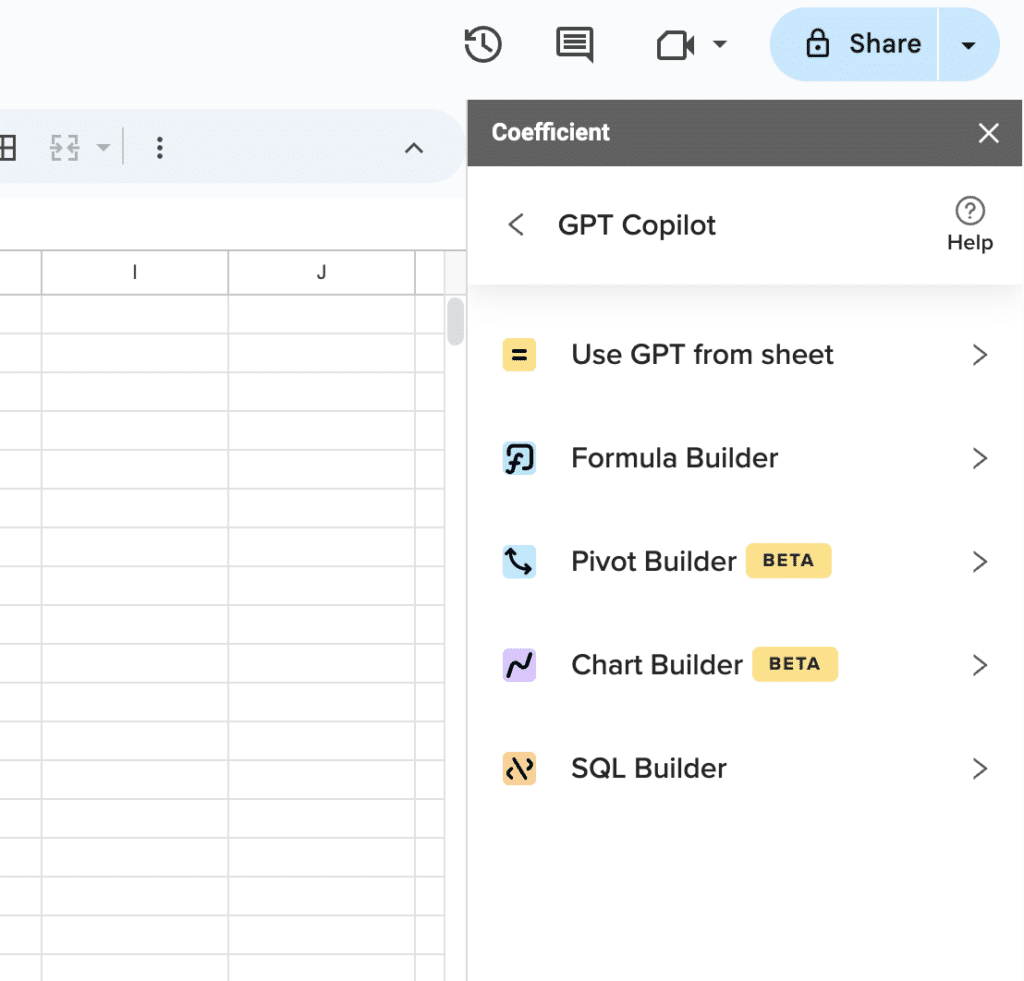
Supercharge your spreadsheets with GPT-powered AI tools for building formulas, charts, pivots, SQL and more. Simple prompts for automatic generation.

Numerous.ai

ChatGPT meets spreadsheets. Numerous.ai embeds conversational AI directly into your Excel or Google Sheets, letting you query data, generate content, and automate tasks using natural language—no formula syntax required.
Highlights of Numerous.ai
- Natural language queries that deliver instant answers without memorizing complex formulas
- AI autocomplete and image processing for content creation and data extraction tasks
Pros
No technical setup required. All AI features work out of the box without API keys or complex configurations. Non-technical users can start immediately.
Character-based pricing model. The flexible pricing structure makes it cost-effective for teams with varying usage patterns. You pay for what you actually use.
Time-saving automation. Users report significant reductions in repetitive spreadsheet tasks, especially for SEO analysis, content formatting, and bulk data operations. If your content needs extend beyond the spreadsheet into formal academic research, pairing these AI insights with a professional paper writing service ensures your technical data is supported by scholarly, high-quality writing.
Cons
No permanent free option. The 7-day trial period forces quick decision-making. Users must commit to paid plans for continued access.
Internet dependency. All features require online connectivity. Offline spreadsheet work isn’t supported, limiting usage in restricted environments.
Prompt complexity challenges. Advanced operations require sophisticated prompt writing skills. Users struggle with complex analytical requests without clear guidance.
Pricing
s of January 2026, Numerous.ai offers tiered pricing:
- Personal at $8/month (billed yearly) or $19/month (billed monthly) with 1 million characters of ChatGPT usage.
- Pro plans cost $24/month (billed yearly) or $39/month (billed monthly) with 5 million characters and sharing for up to 3 people.
- Enterprise pricing starts at $8/user/month with a 5-user minimum.
What do users say about Numerous.ai?
Positive: “I use it for SEO bulk formatting and analysis. It saves hours and is super cost-effective for teams!”
Critical: “No permanent free option and a few limitations with prompt complexity for advanced analytics.”
Support
Numerous.ai offers priority onboarding and live chat for enterprise users. Personal and pro plans receive email and ticketing support.
DataRobot

Enterprise machine learning without the PhD. DataRobot transforms your spreadsheet data into sophisticated predictive models, enabling businesses to build, deploy, and scale machine learning solutions without requiring a team of data scientists.
Highlights of DataRobot
- Automated model building and deployment that handles complex machine learning workflows automatically
- Explainable AI features that make model decisions transparent and business-friendly
Pros
Enterprise scalability. DataRobot handles massive data volumes and complex deployments that would overwhelm smaller tools. It’s built for organizations processing significant amounts of business data.
Risk-free evaluation. Free trials and demos let potential users explore advanced features before making enterprise-level financial commitments.
Comprehensive support ecosystem. Strong community resources, detailed documentation, and dedicated onboarding help teams maximize platform value.
Cons
Enterprise-only pricing. Costs make it prohibitive for small businesses and individual users. The investment only makes sense for large-scale operations.
Feature complexity overload. The breadth of machine learning capabilities can overwhelm first-time users. Teams need dedicated training to utilize the platform effectively.
Limited trial functionality. Free tier credit restrictions and feature limitations prevent serious research and development work during evaluation periods.
Pricing
As of January 2026, DataRobot uses custom enterprise pricing. Small-scale deployments start at approximately $7,500/month. For 10 users, expect $15,000-$20,000/month. Larger enterprises with 100 users may pay $80,000-$100,000/month. Discounts are available for academic institutions, nonprofits, and government agencies. Free trials are available with credit-based limitations.d demos are available.
What do users say about DataRobot?
Positive: “Exceptional automation for machine learning—saves time and provides valuable explainability for business models.”
Critical: “Pricing is a challenge for small businesses, and the credit system on the free trial is limiting for serious R&D work.”
Support
Support ranges from community forums to enterprise onboarding, with priority resources for large-scale customers. Academic and nonprofit clients can apply for discounted rates and additional support programs.
Ready to supercharge your spreadsheets?
These AI tools prove that Excel doesn’t have to be painful. From simple formula generation to enterprise machine learning, there’s a solution for every skill level and budget. But here’s the thing—while these tools excel at specific tasks, you still need a way to connect your spreadsheets to live business data. That’s where the real magic happens.







