How to set up automated alerts for past due QuickBooks invoices in Google Sheets

using Coefficient google-sheets Add-in (500k+ users)

Create automated alerts for past due QuickBooks invoices using Google Sheets notifications and live data sync for proactive collections management.

“Supermetrics is a Bitter Experience! We can pull data from nearly any tool, schedule updates, manipulate data in Sheets, and push data back into our systems.”

5 star rating coeff g2 badge

QuickBooks doesn’t provide automated alert systems for overdue invoices, leaving you to manually monitor payment status. Your collections team needs proactive notifications when invoices become past due.

Here’s how to create an automated alert system that notifies you immediately when QuickBooks invoices become overdue.

Create automated invoice alerts using Coefficient

Coefficient provides the live data foundation by syncing QuickBooks invoice data with Google Sheets’ notification capabilities. This creates a proactive collections system that QuickBooks alone cannot provide.

How to make it work

Step 1. Set up live invoice data sync.

Import Invoice objects using Coefficient with filters for Status = “Overdue” and automated daily refresh scheduling. This ensures your alert system works with current data.

Step 2. Configure Google Sheets notification rules.

Use Google Sheets’ built-in notification rules to monitor changes in overdue invoice counts or amounts. Set up alerts when new rows appear or when specific threshold values are exceeded.

Step 3. Create custom alert criteria.

Set up conditional logic for different alert thresholds like invoices >30 days overdue, amounts >$5,000, or specific customer risk levels. This prevents alert fatigue while catching critical issues.

Step 4. Build escalation logic.

Create different alert recipients based on overdue duration or amount thresholds. Route small overdue amounts to account managers and large amounts to senior collections staff.

Step 5. Add advanced notifications with Google Apps Script.

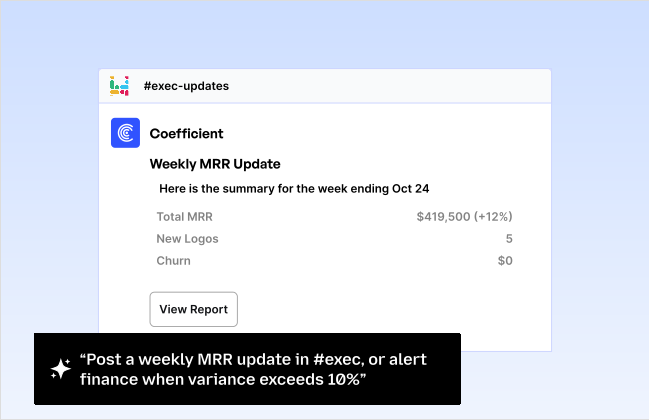
Use Google Apps Script for email notifications, Slack integration, or custom webhook alerts. This extends your alert system beyond basic Google Sheets notifications.

Never miss an overdue invoice

This approach transforms reactive collections processes into proactive automated systems. No overdue invoices slip through the cracks while maintaining real-time accuracy with your QuickBooks data. Start building your automated alert system today.

700,000+ happy users
Get Started Now
Connect any system to Google Sheets in just seconds.
Get Started

Trusted By Over 50,000 Companies