
2-Way Salesforce Connector for Google Sheets & Excel
Coefficient keeps your Salesforce data reports running smoothly and error-free. Connect live Salesforce data to Sheets or Excel in just clicks. Set it on refresh. Try today for free!
30 day free trial, no credit card required

Trusted by over 50,000 companies


“I never worry about reports being up-to-date and accurate anymore. At this point, after setting it up, Coefficient does most of the heavy lifting.”

“Salesforce reporting is annoying & limiting. Coefficient allows us to report, analyze, and manipulate data. It’s saved me a crazy amount of time.”

“It's so impactful to be able to blend live data with forecasts to get a real-time view of performance using my spreadsheet.”

“Coefficient levels up my ability to access and scale use of my Salesforce data.”

“A super simple, effective way to get live reports to share with the team without having to export documents constantly.”

“Coefficient speeds up the process of analyzing data by enabling us to cut the time dashboard creation takes by 80%.”

HOW IT WORKS
Connect your spreadsheet to Salesforce in a click, import the data you need with a no-code interface, and keep it live with automatic updates and alerts.
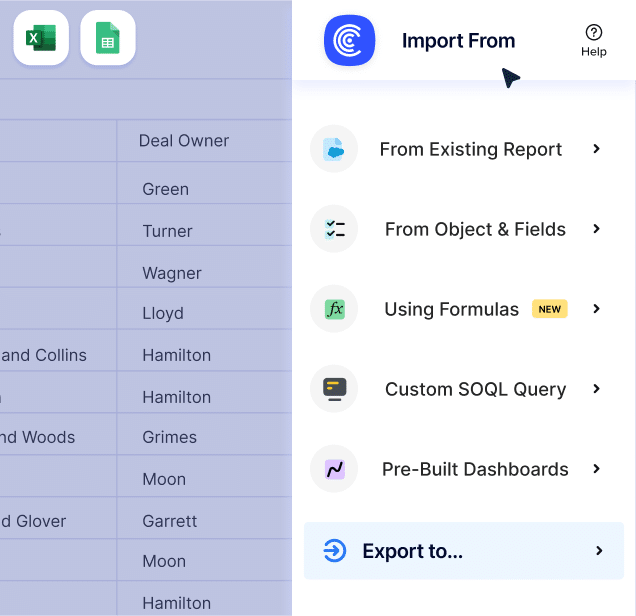
Set up your 2-way sync in seconds
Quickly connect Salesforce to Sheets or Excel, import reports or objects, and start analyzing live data in just a few clicks. Need to push updates back? We got you.
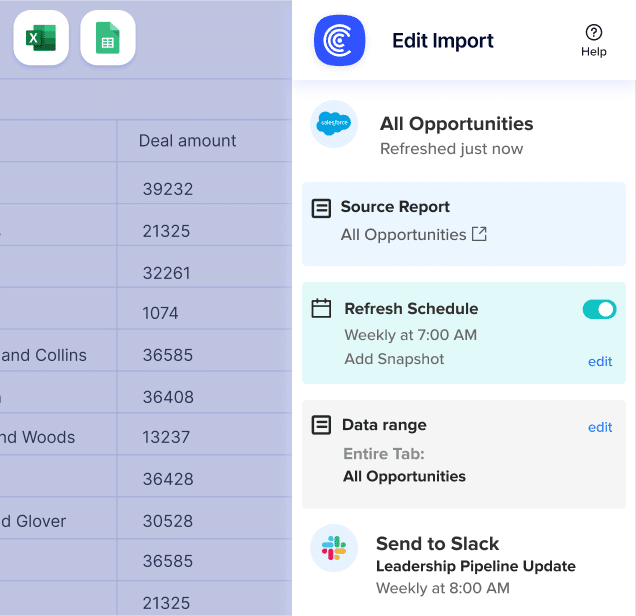
Bring stale Salesforce data to life
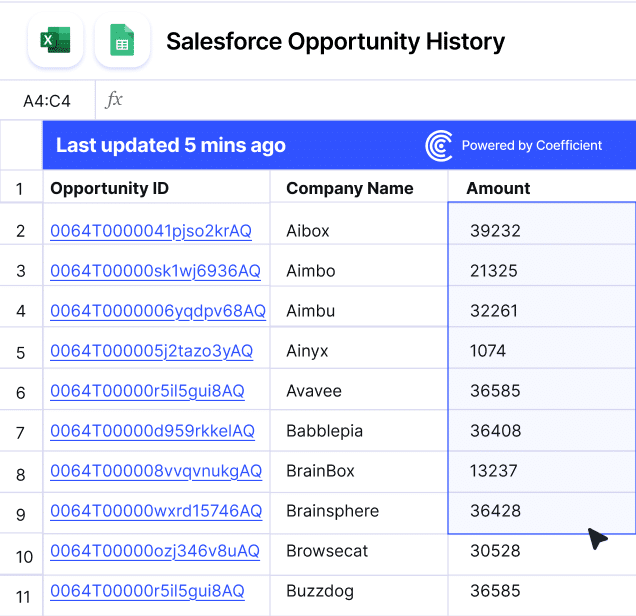
Extend the power of your spreadsheet
Easily add or remove columns, auto-fill formulas for new rows, and track historical trends with data snapshots.
TOP-RATED FOR EASE, SPEED, AND VALUE
Save your team hundreds of hours spent on manual exports, copy-pasting, and updating reports from and to systems like Salesforce, Snowflake, and NetSuite.
30 day free trial, no credit card required